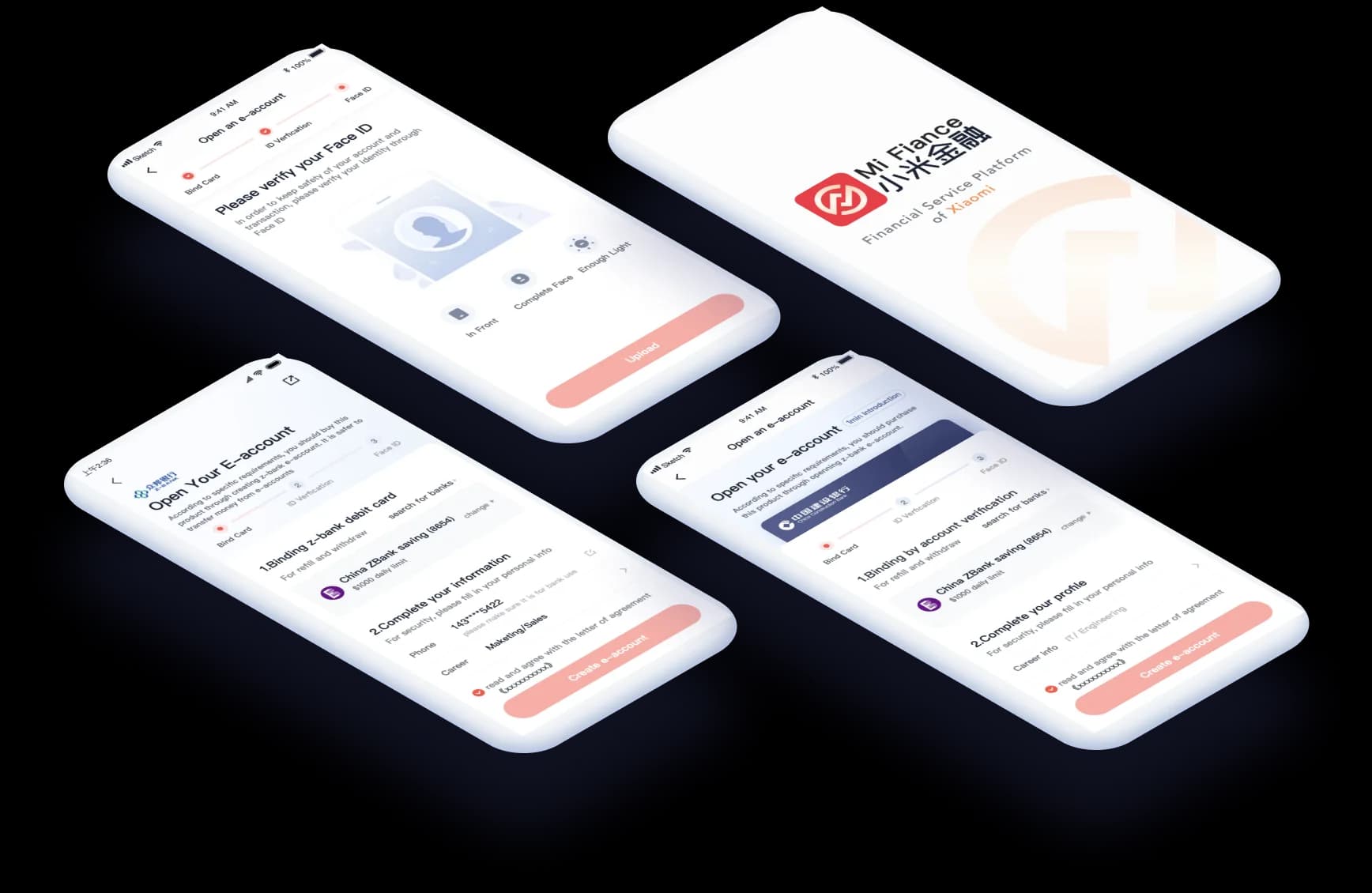
Overview
Mi Finance is a financial app pre-installed on all Xiaomi smartphones. I worked as a UX designer on the Mi Design team.
My role
As the main designer for optimizing account opening, I studied user feedback and conducted competitive analysis, built prototypes for end-to-end processes, and initiated the high-fidelity prototype for Mi Finance 6.
- Role
- UX designer
User researcher - Duration
- 3 months
- Scope
- User research
Prototyping & design - Team
- MI Design
Challenge
An unpleasant account opening experience stops users from investing further
According to regional regulations, users on our platform must create an e-bank account before buying financial products from institutions. However, based on backend data, over half of global users pause the purchase process when creating an e-bank account. When I first worked on the e-account opening process, the flow had usability issues and an incoherent product interface.
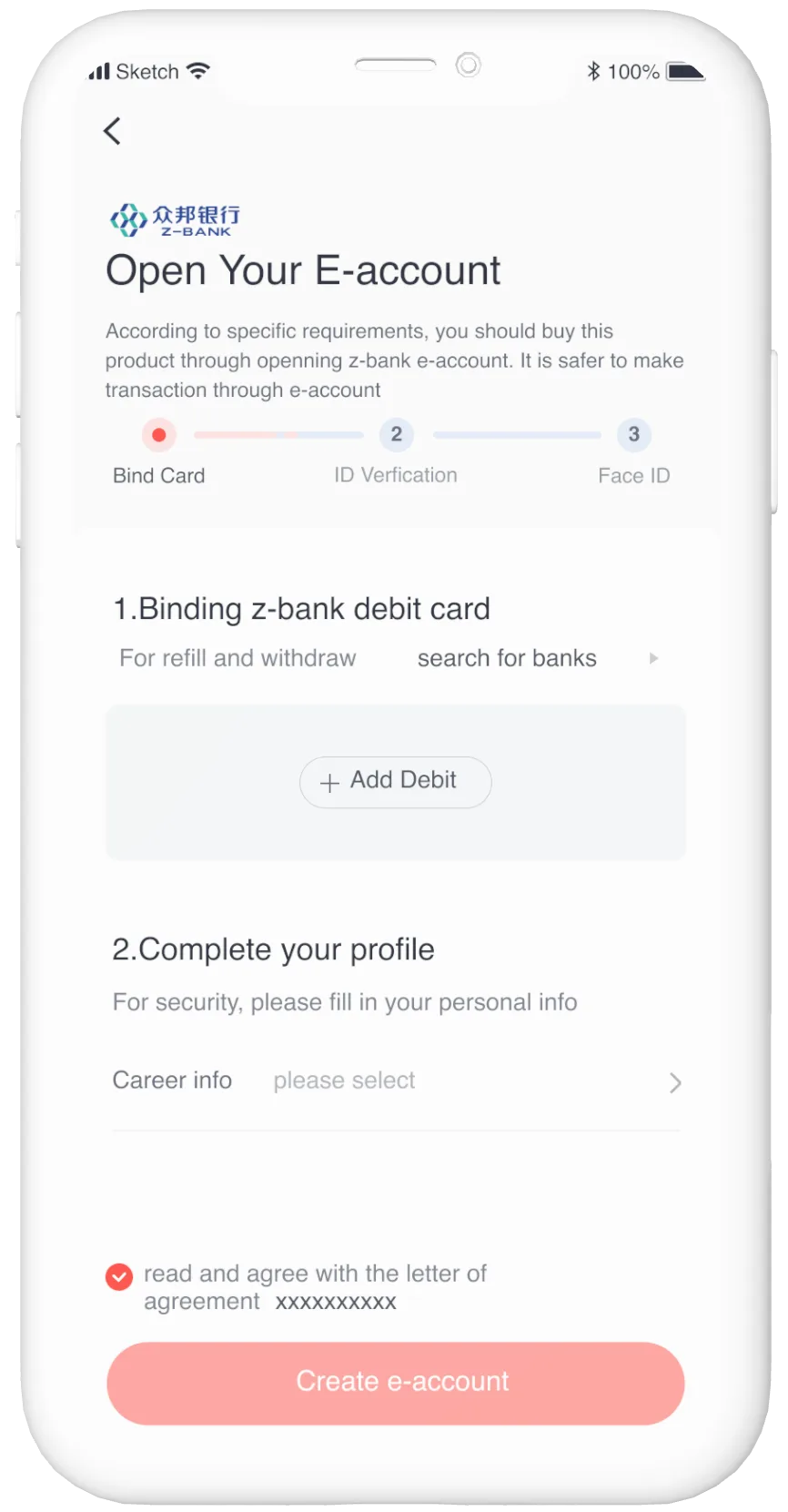
Clear introduction with goal-directed steps
The previous account opening process was presented in the form of an "action bar," which confused users and made them doubt our product’s authenticity and value.
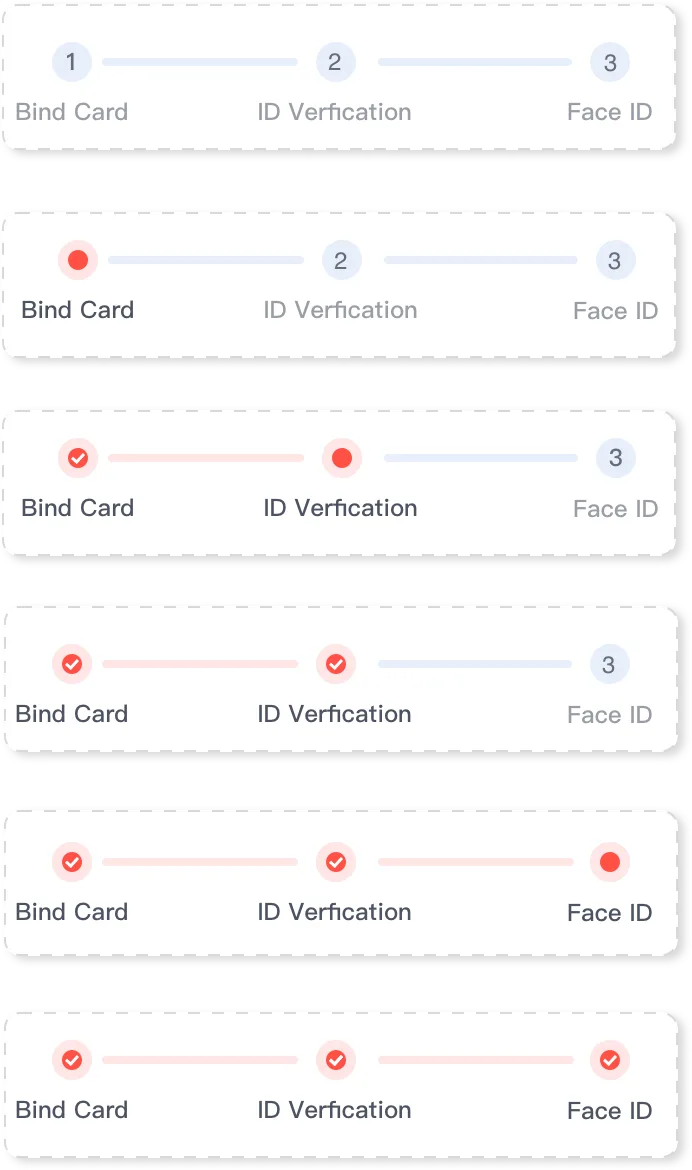
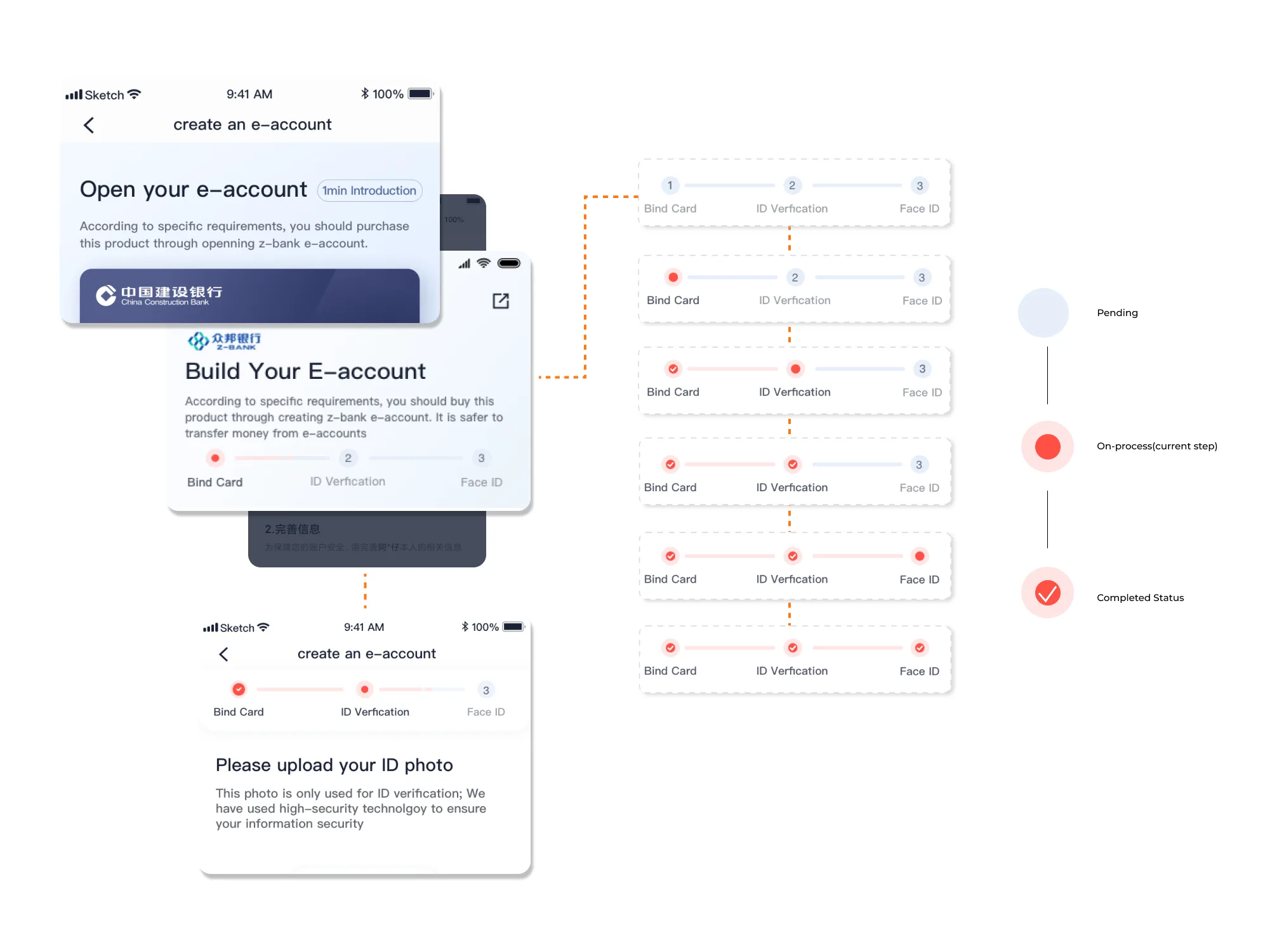
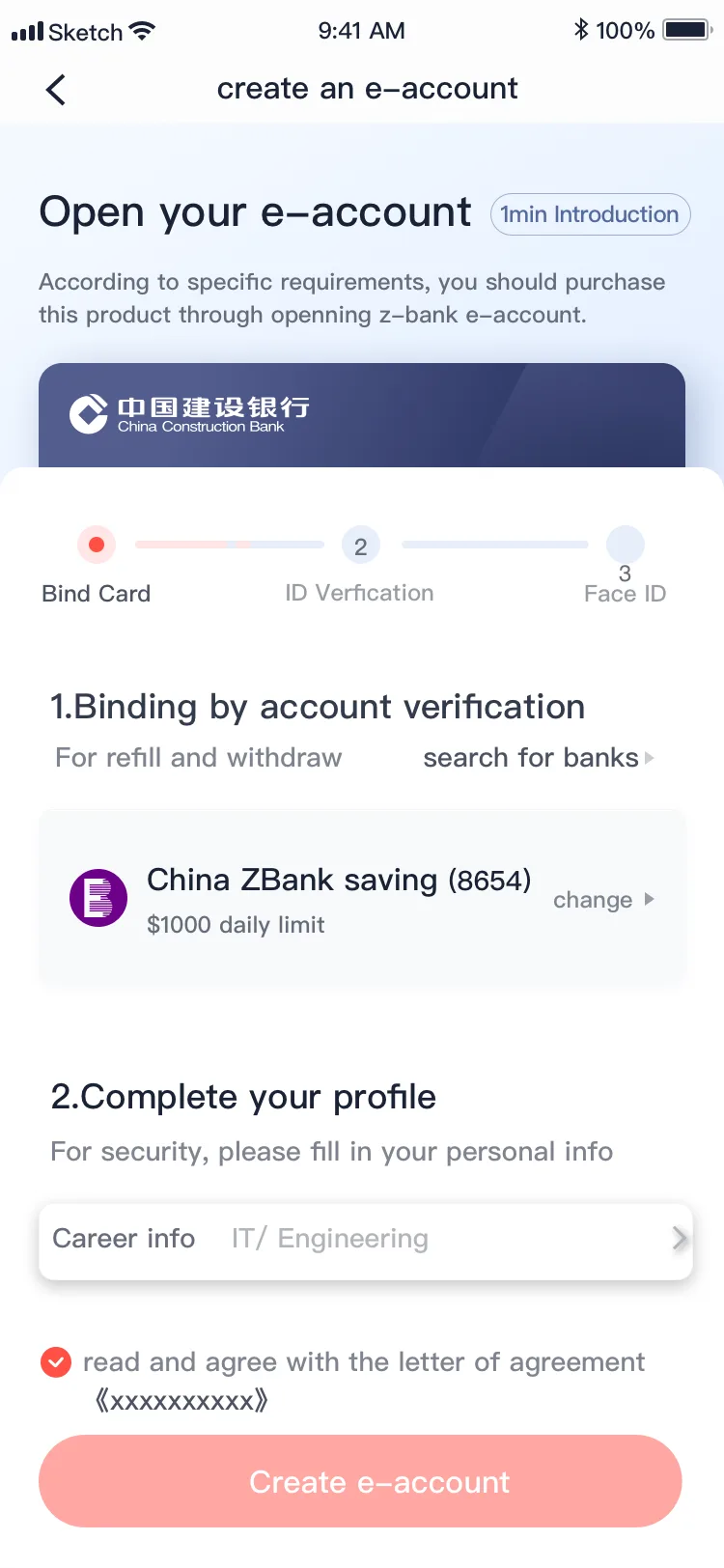
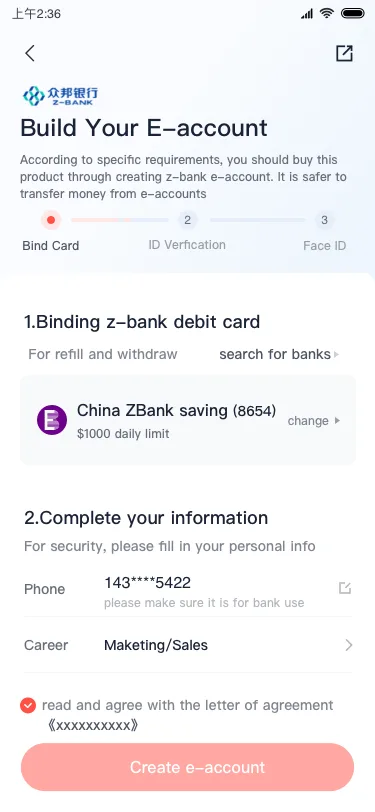
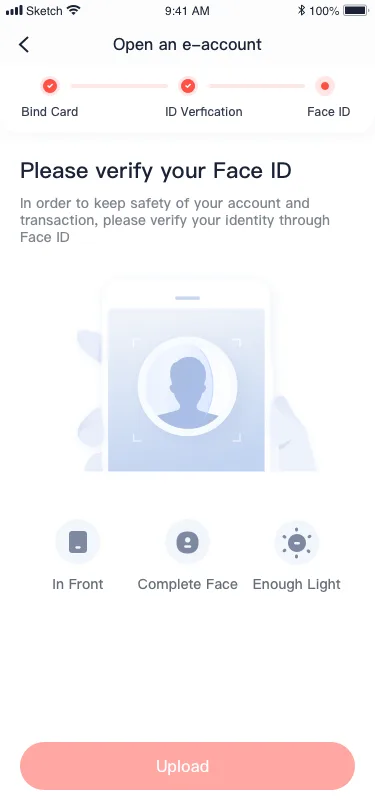
Real-time step-by-step instructions
People can follow the guide step by step when opening an account, as it shows the current status of each step based on whether it has been started or completed.
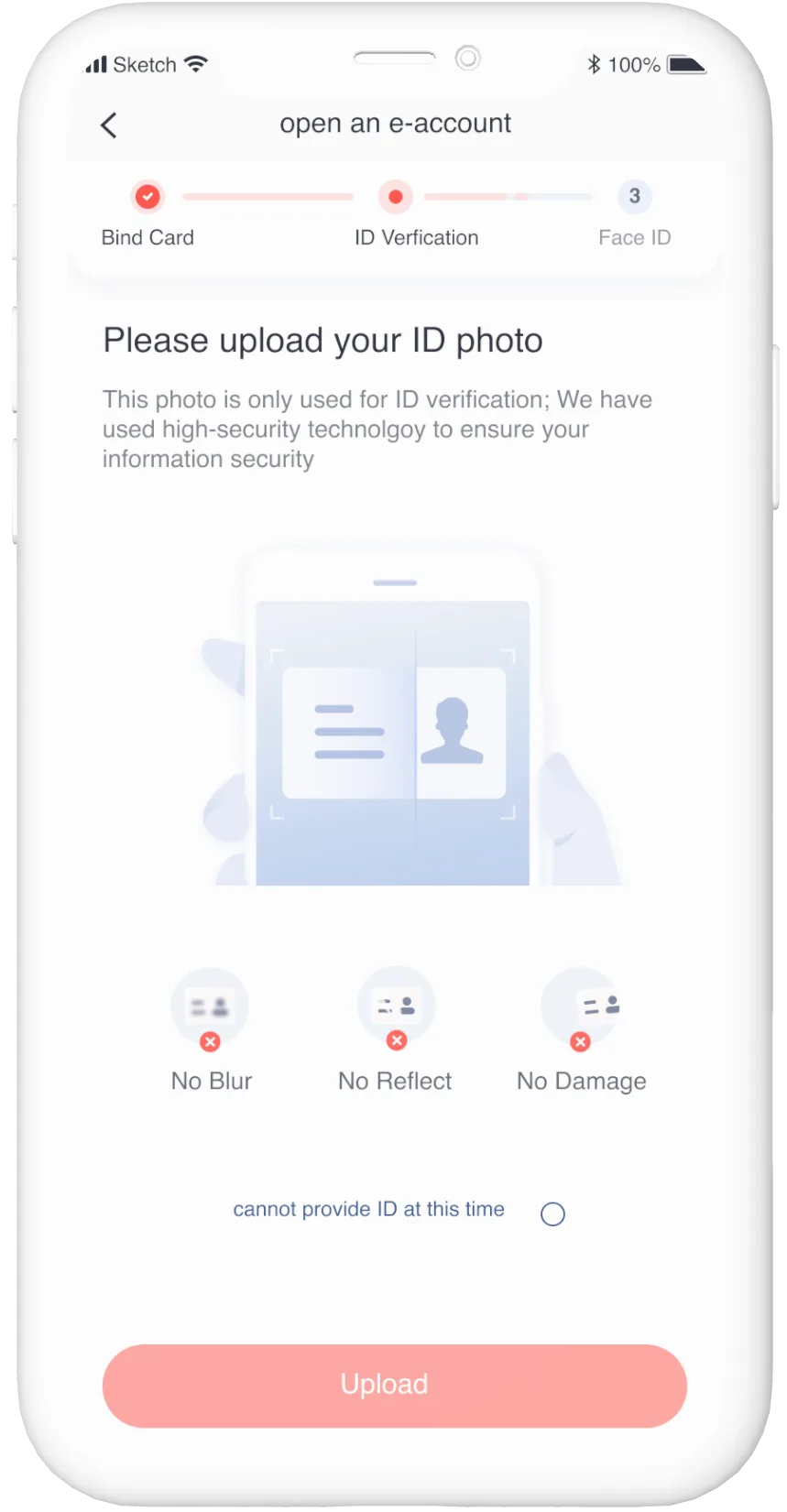
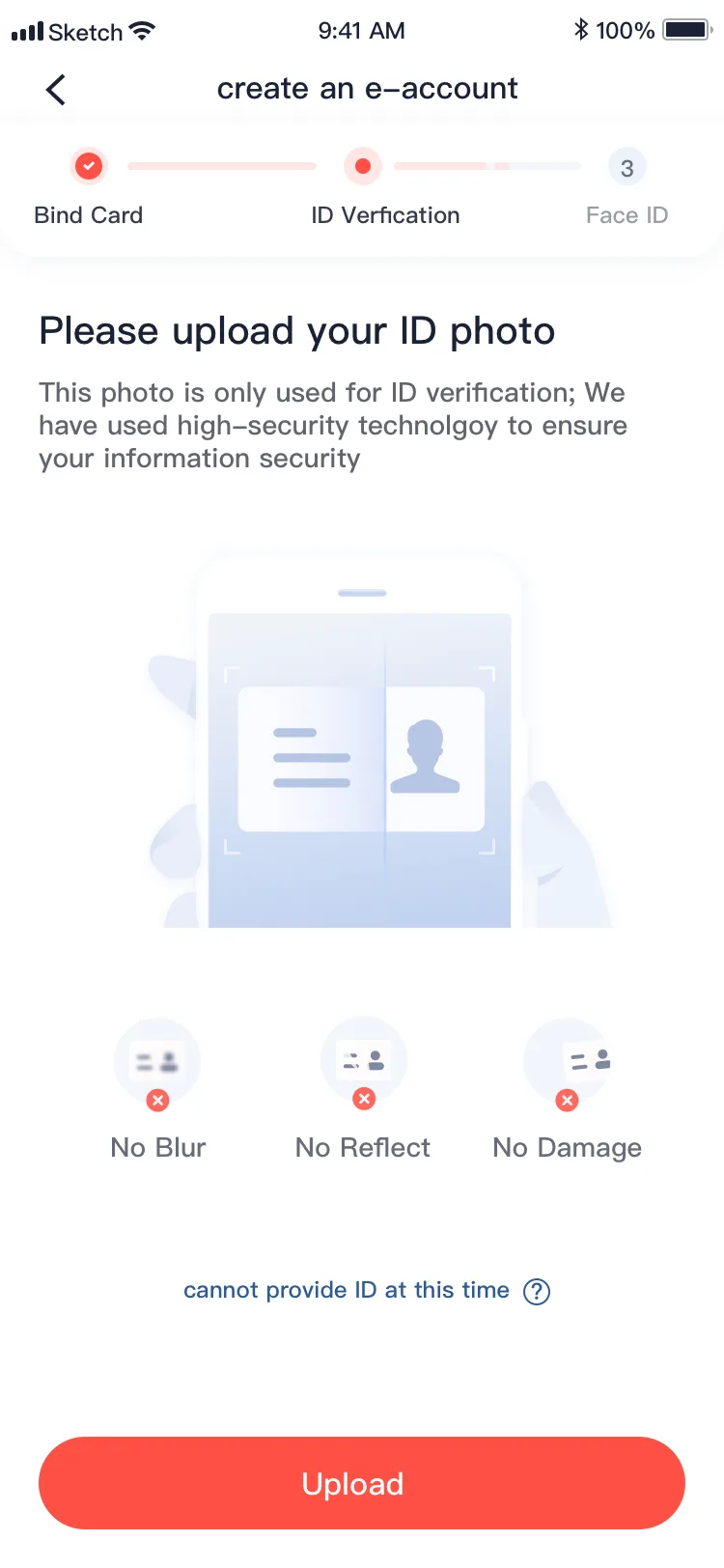
Support users with diagrams
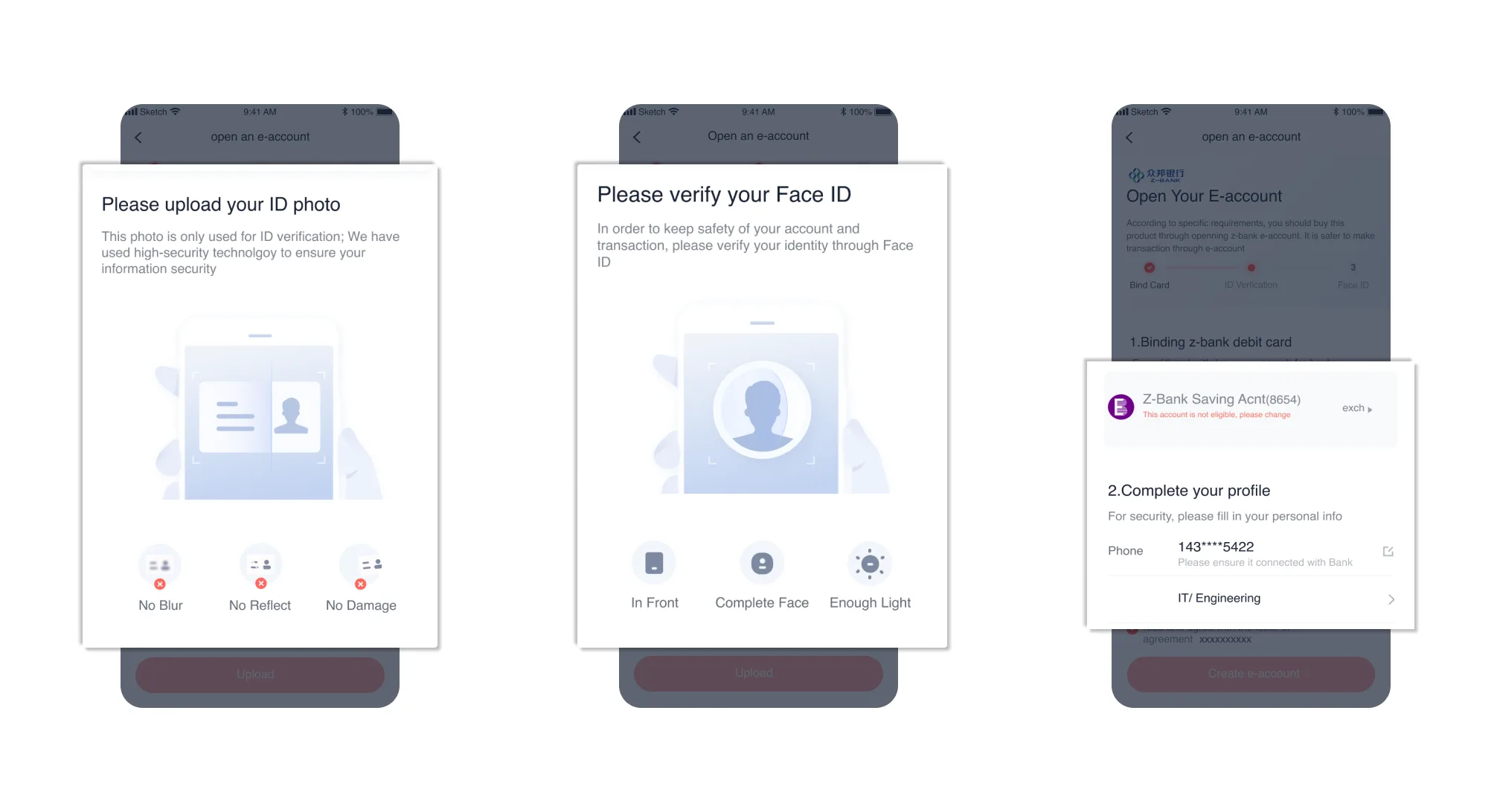
It is easy to become frustrated when the shooting environment is unsuitable for ID and face verification. To prevent these problems, we offer users clear graphics and text for guidance.
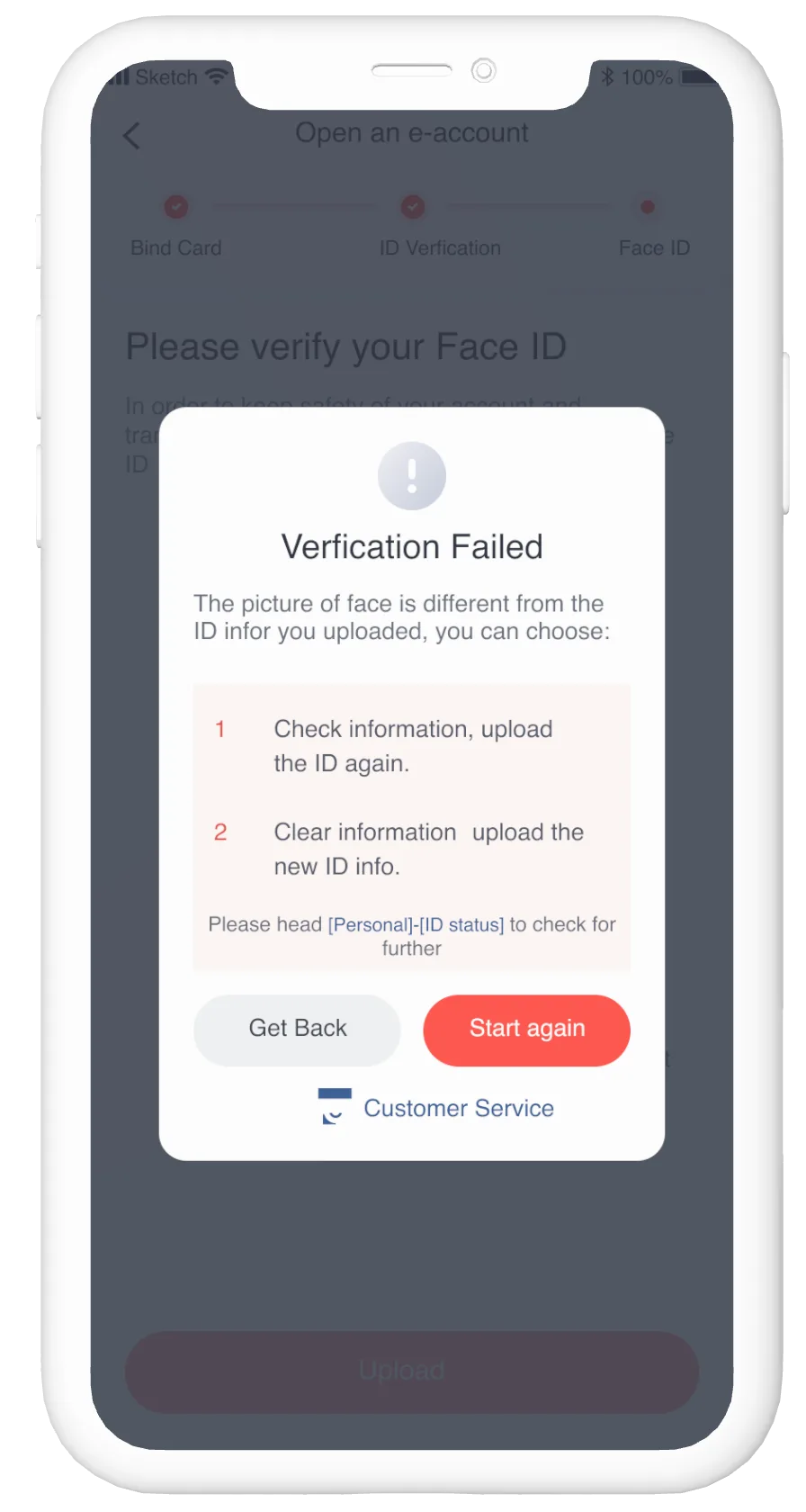
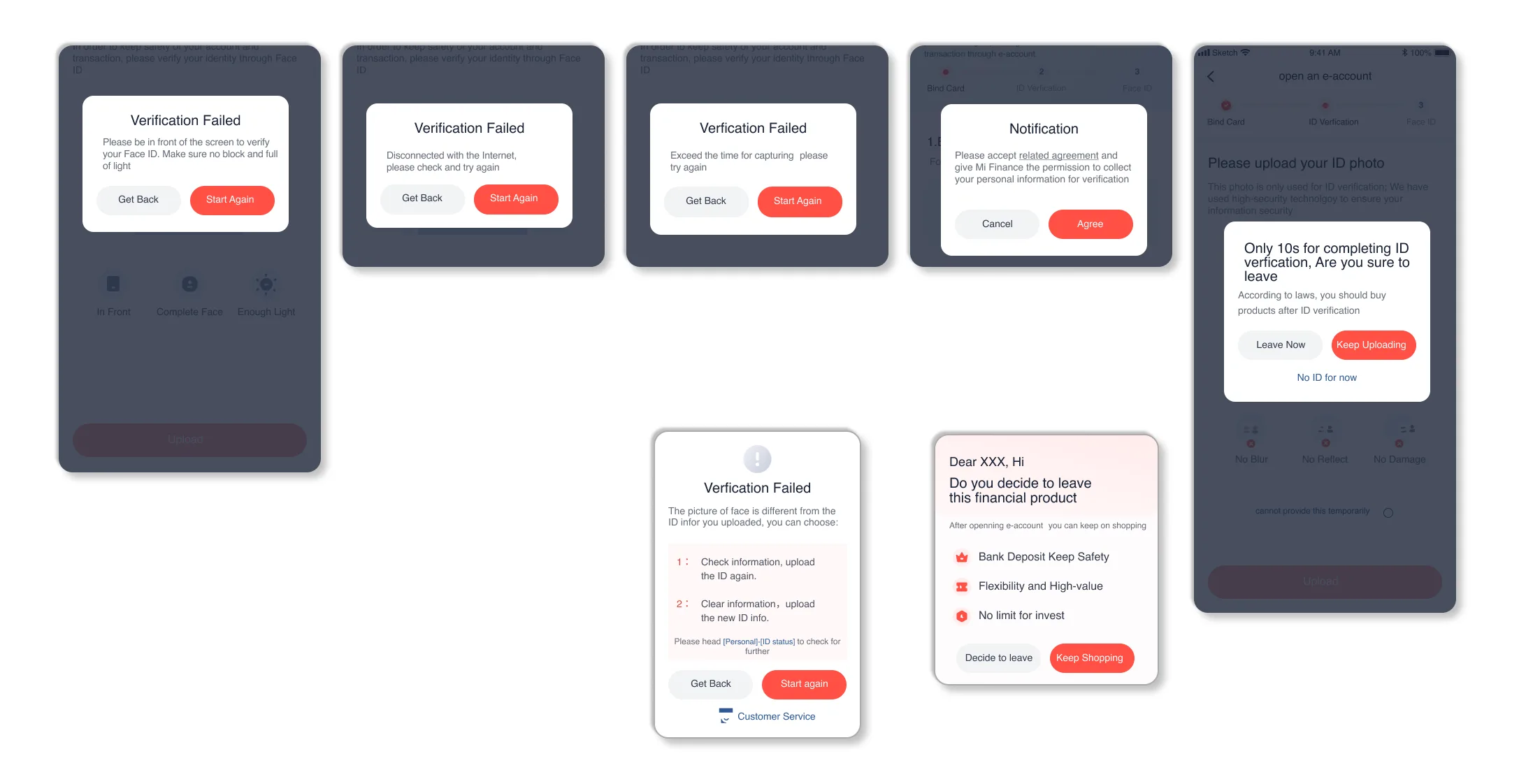
Provide users with next steps when an error occurs
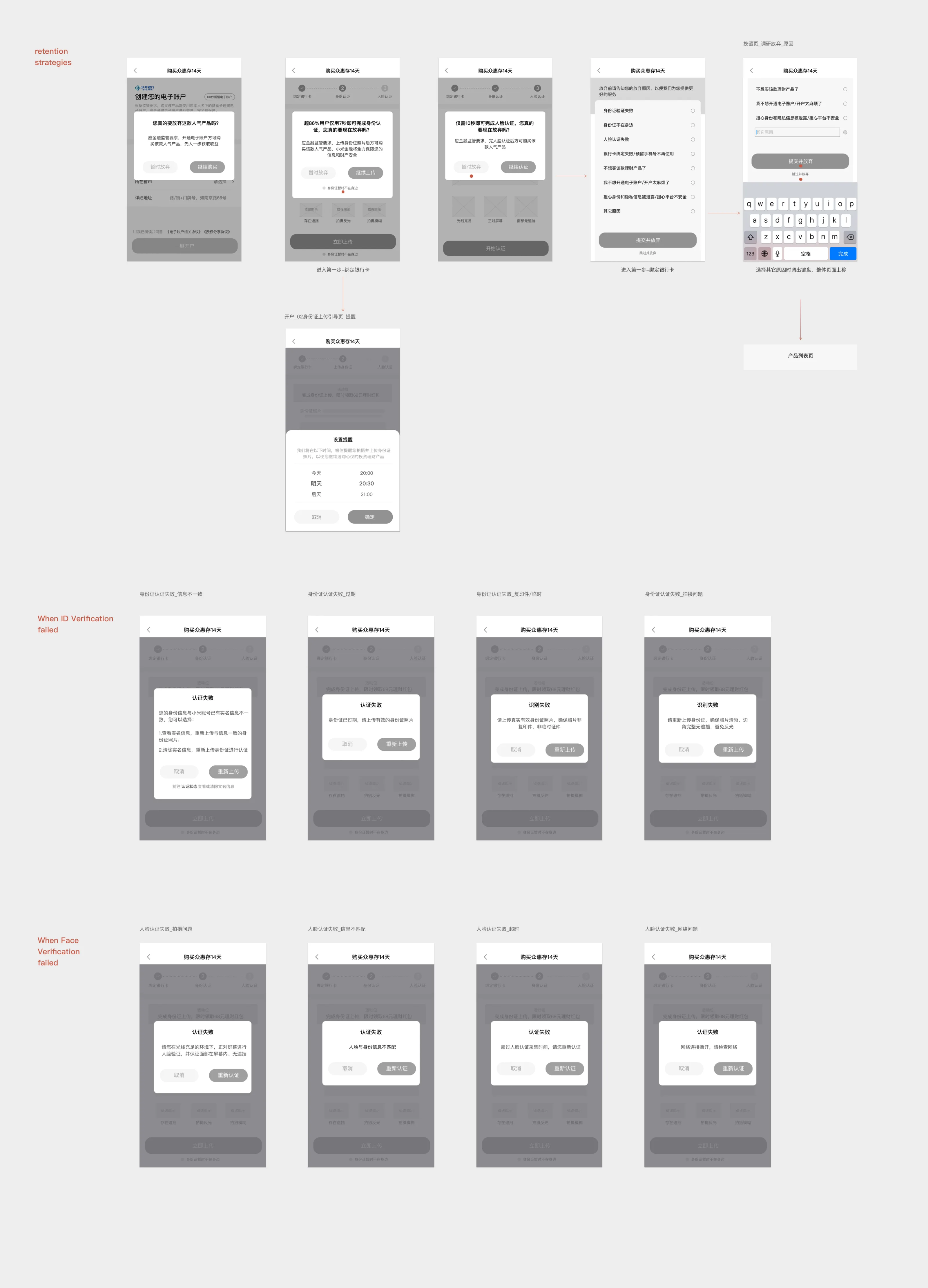
Based on previous data, we have a clear idea of why verification fails. Our analysis of those incorrect operations informed our work on the retention pages.
Impact
Upon the launch of MiFinance 6.0, account opening became clearer and more goal-oriented
With the launch of MiFinance 6.0, the product I helped design and research provided users with a clearer and more goal-oriented onboarding process for account opening.
- 12million
- active customers in 2020
- 100%
- positive feedback from user testing
- 27%
- increase in market penetration
- 71%
- increase in conversion rate
- 43%
- increase in positive user feedback
Research
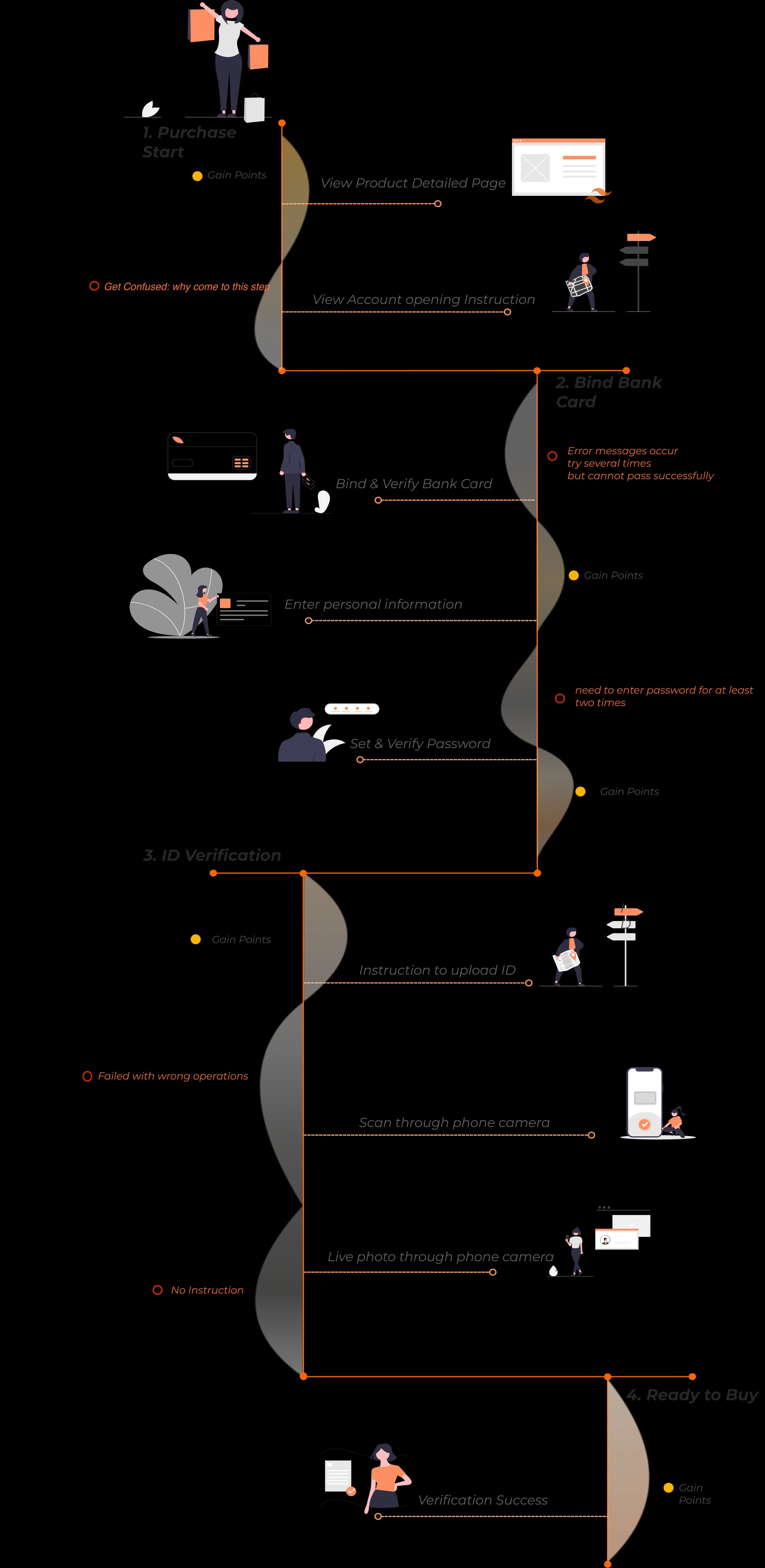
Mapping out the happy user journey to understand users' pain points and gain points
Creating a positive user journey experience was our goal for iteration. I started to map out and conduct research on the happy user journey to understand users' pain points and gain points throughout the process.
Discovery
Poor guidance makes new users lose their way
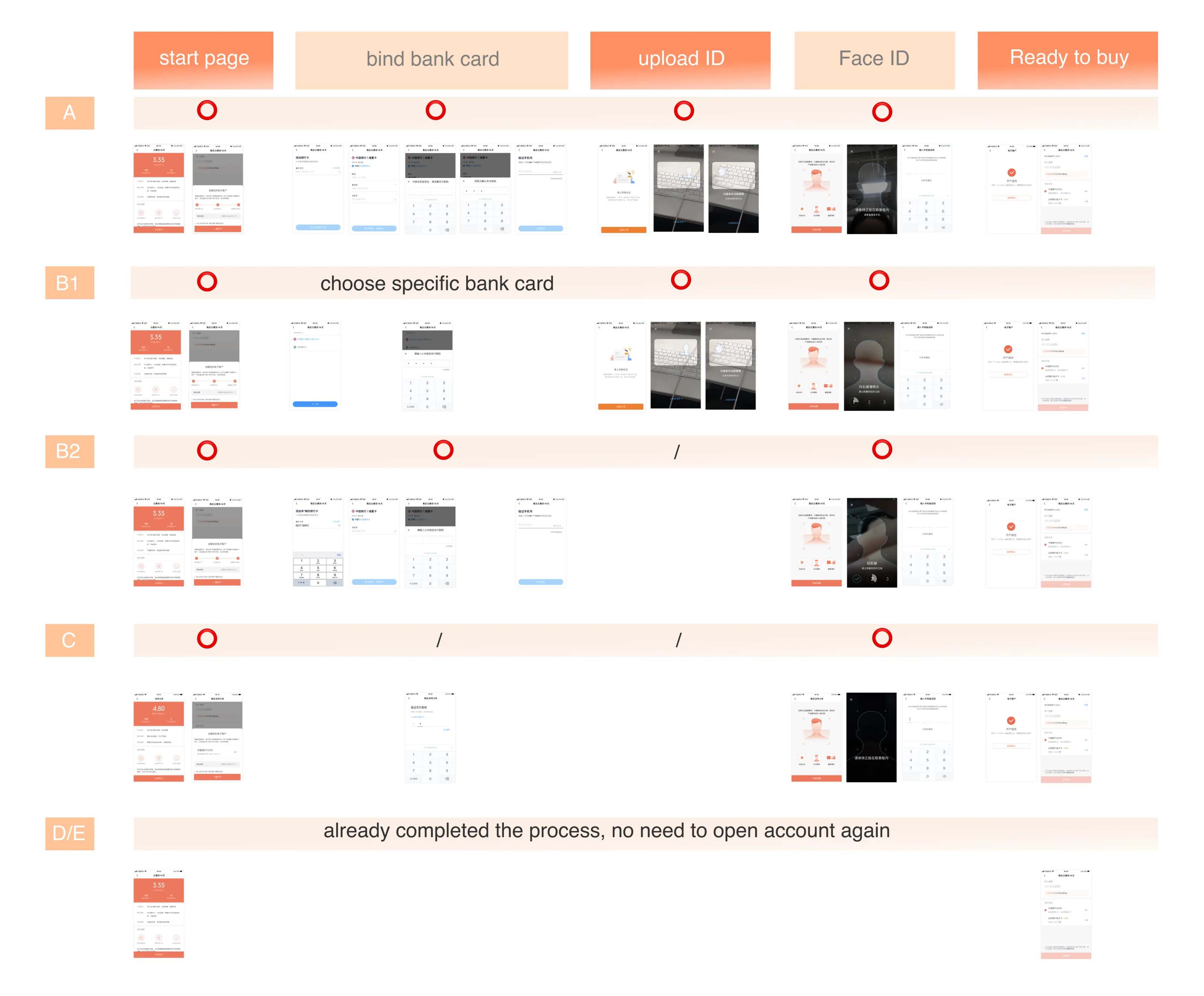
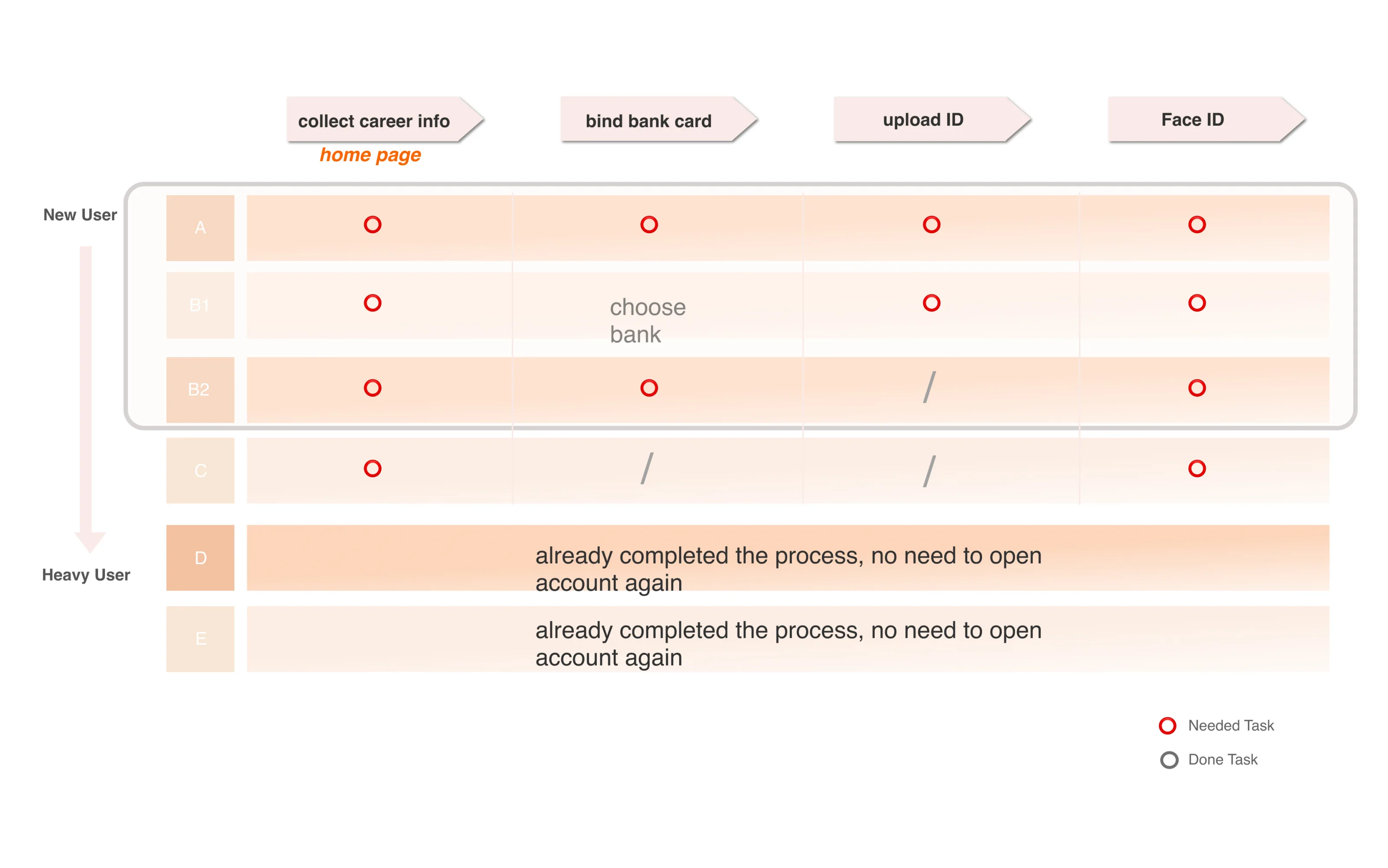
To determine why so many users paused the investment process, I reached out to the customer service team for long-term customer feedback on the process. Looking through the data, we found that 72% of negative feedback came from customers with 0 to 15 days of use. A closer look at the negative feedback showed that users found it easy to get lost on the platform.
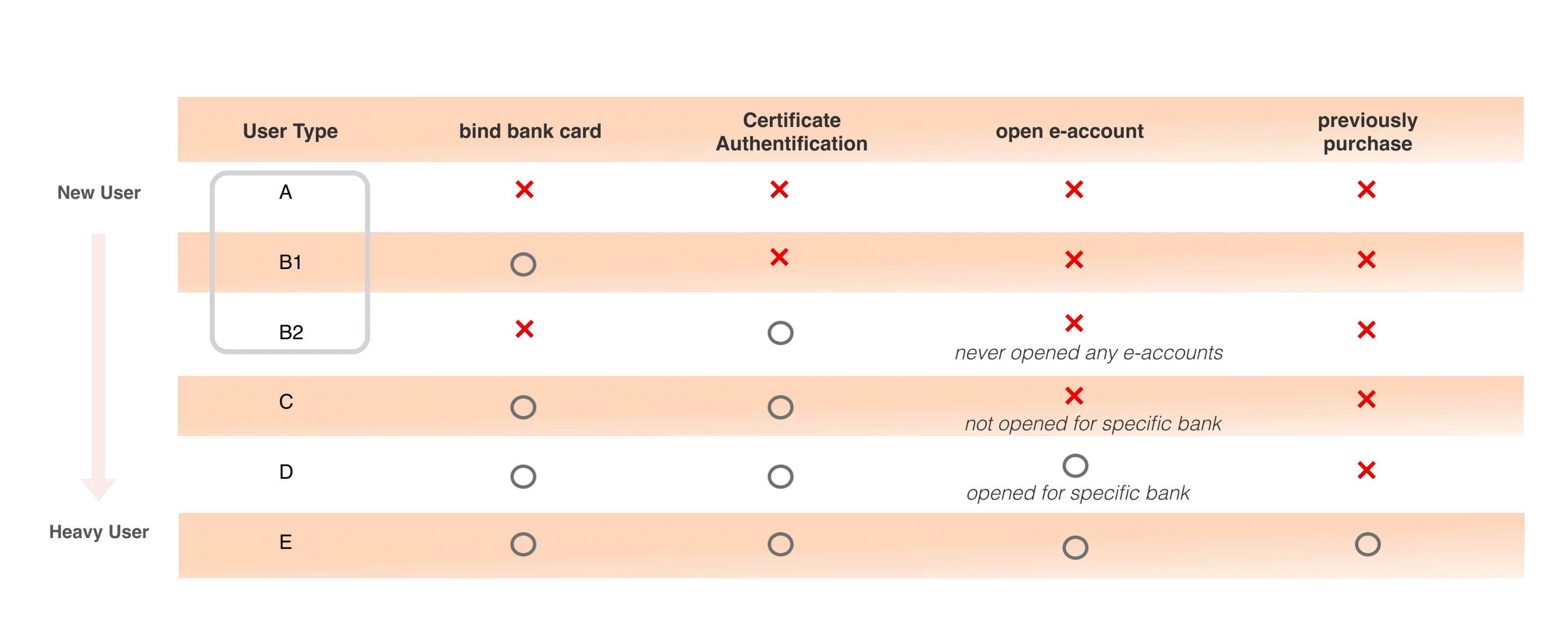
By classifying usage levels, I discovered that new users purchasing e-bank products on the Mi Finance platform for the first time faced this problem. These procedural issues meant that users with limited experience on the Mi Finance platform could encounter difficulties when binding a card, uploading an ID, and completing Face ID verification.

Insight 01
Competitive analysis shows how other platforms guide users
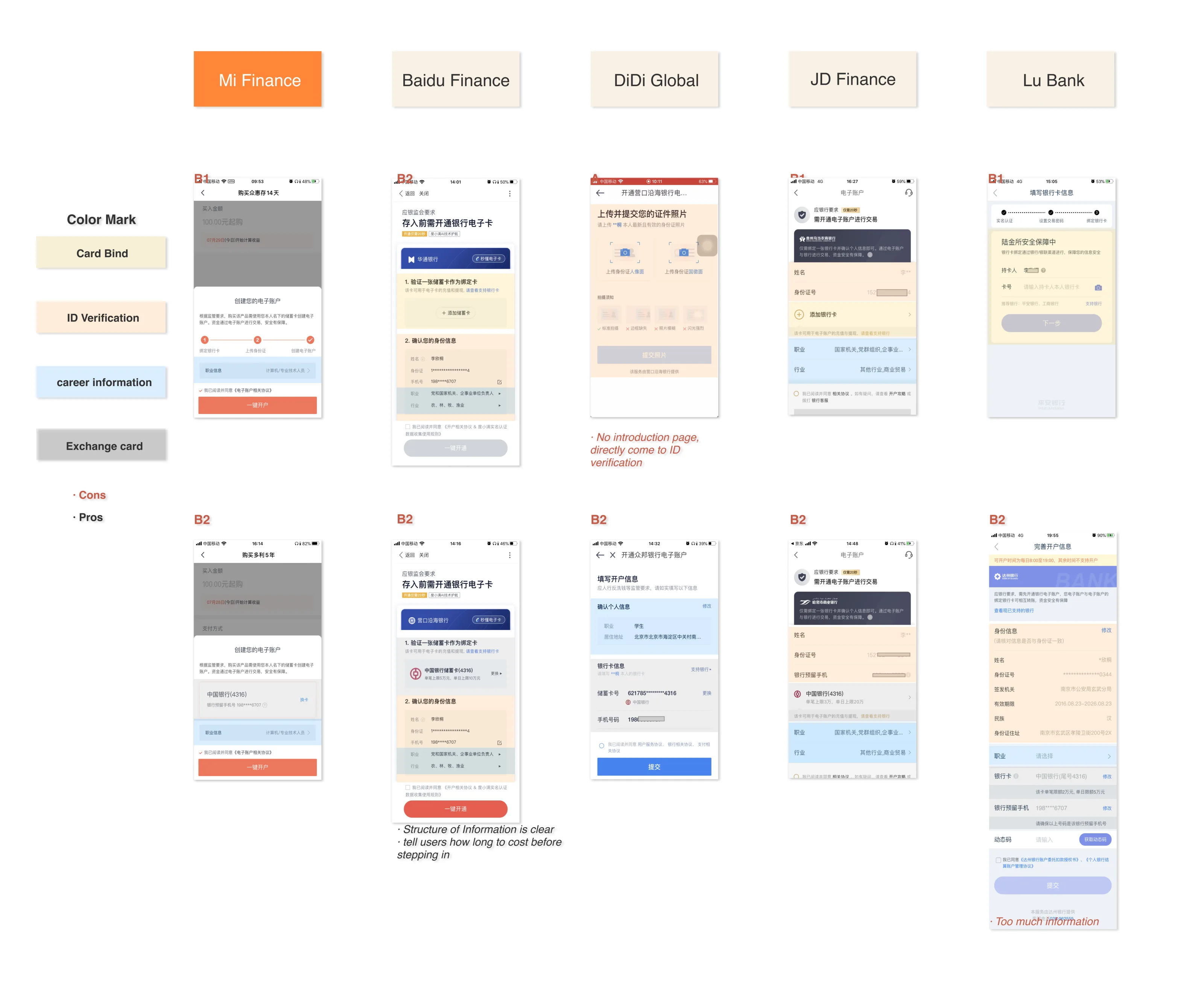
Initially, I structured a study to learn from our competitors. To better understand the user experience of account opening, a procedural operation, I began to research competitors by studying the arrangement of the instruction page, the workflow for the end-to-end process, and the overall interface appearance.
Insight 02
Further research informs us that the UI is incoherent and lacks visual accessibility
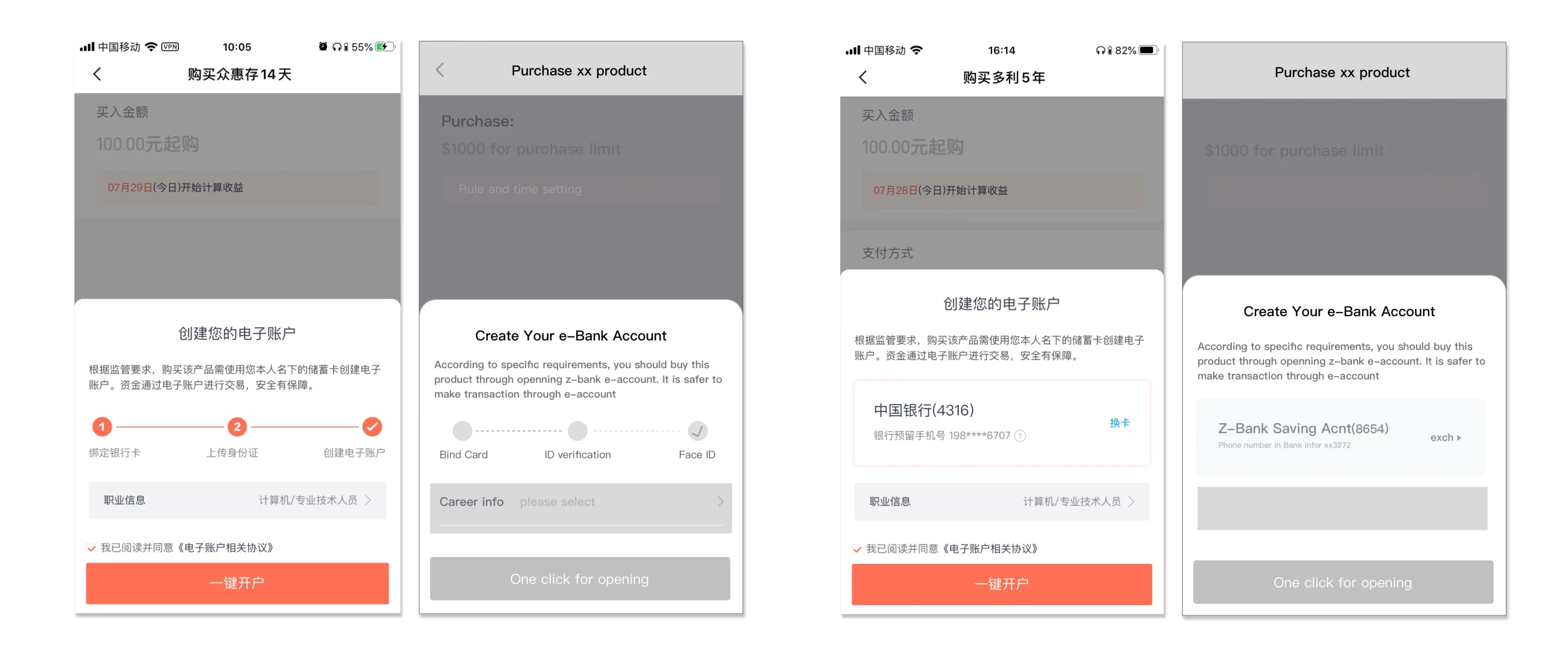
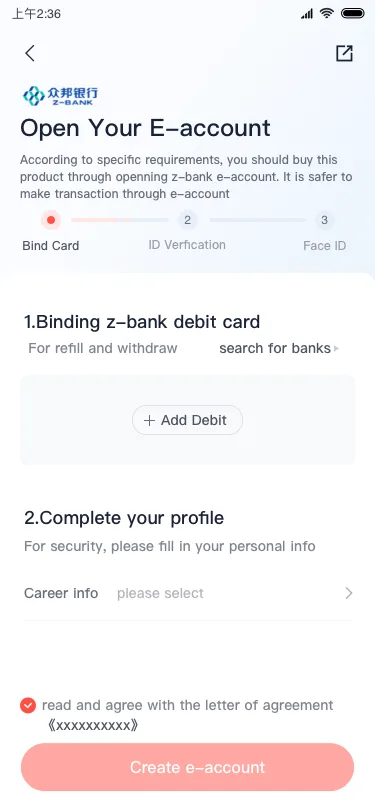
In every step of the account opening process, the buttons are presented with different colors and inconsistent shapes in different stages, which can make the user feel confused during the process.
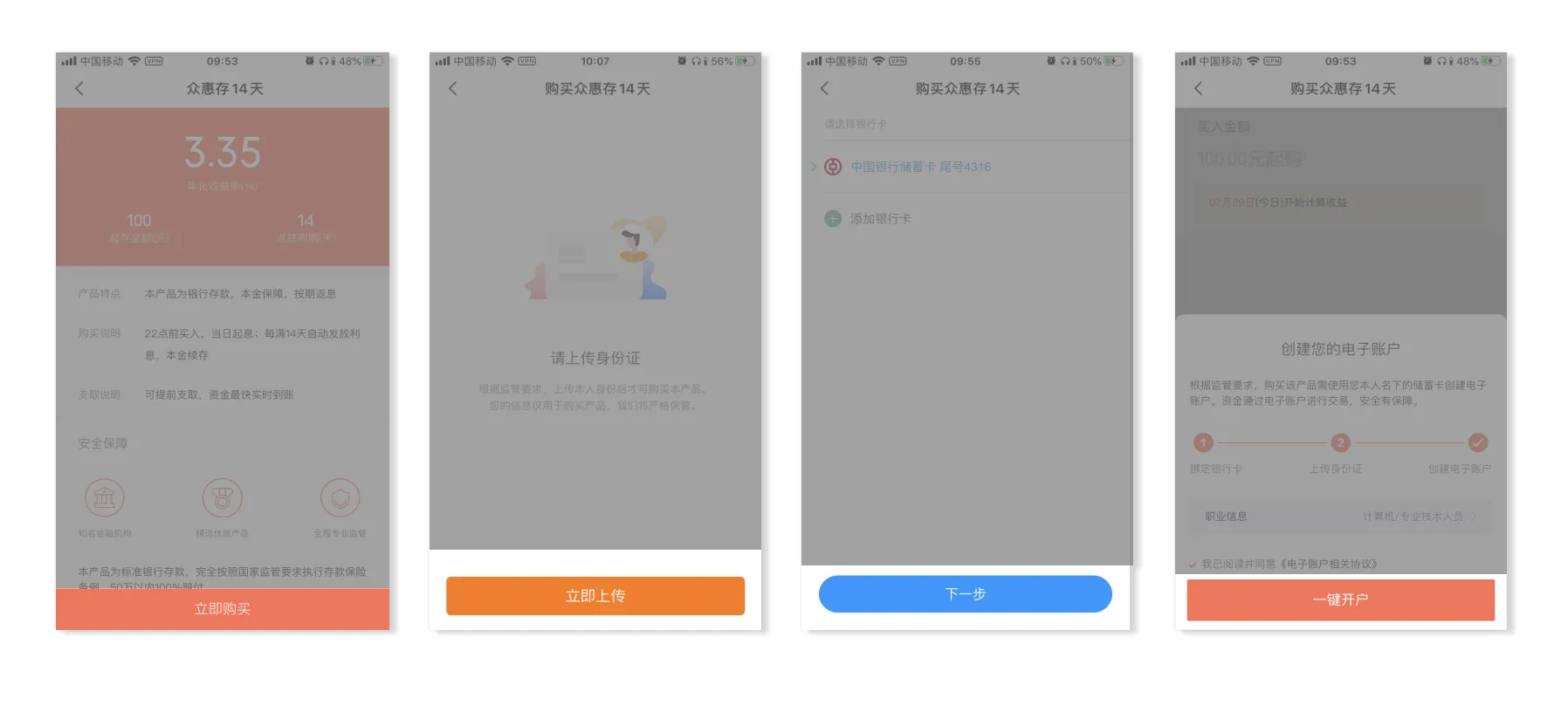
Users encounter three typical visual issues on the instruction page:
- Account opening is mixed with product purchases.
- The 3-step instructions are not aligned with user actions.
- The active career information is greyed out, which may be misinterpreted as an unclickable state.
Insight 03
Further research presents error messages which make users even more impatient
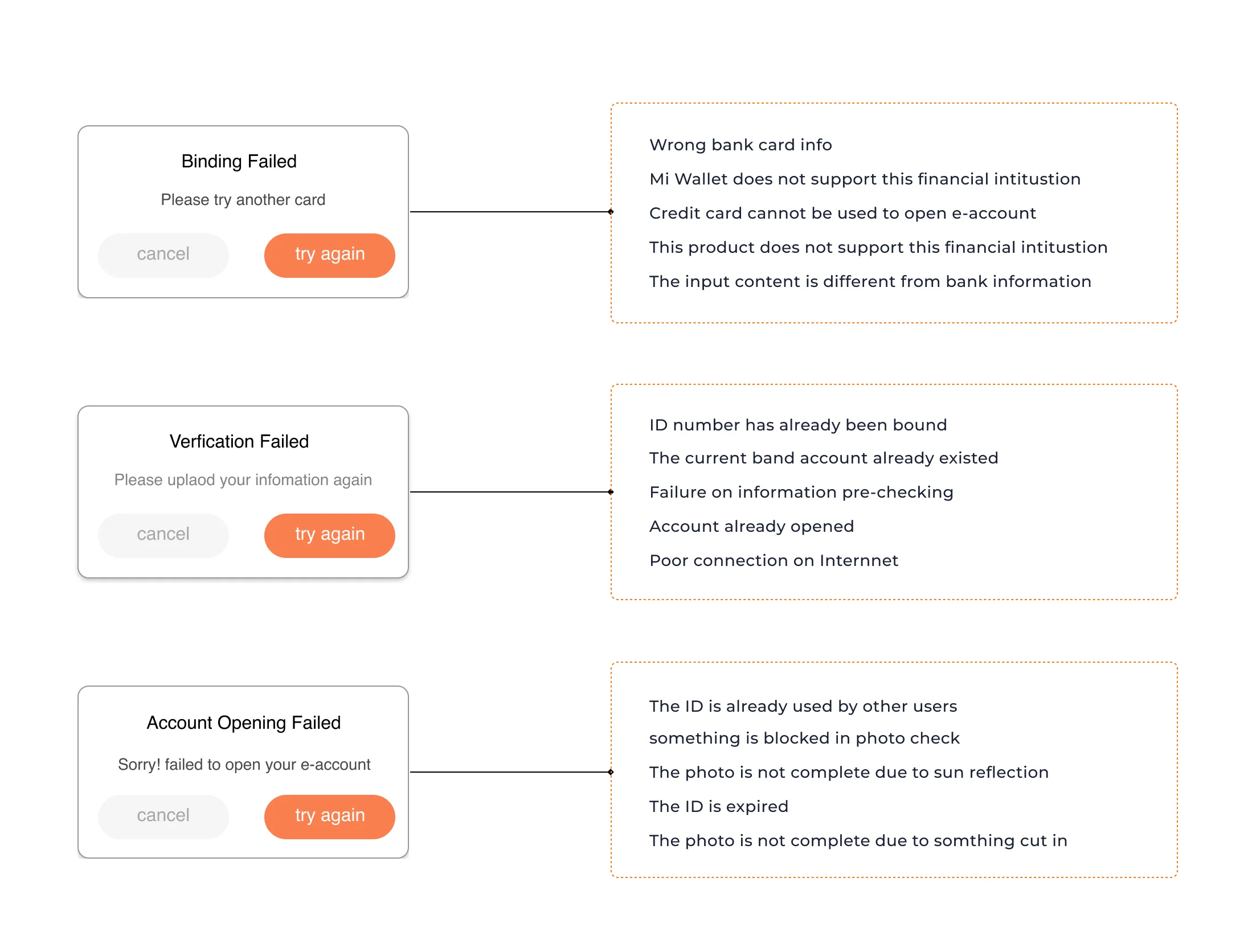
When facing error messages or failed operations, users do not know how to address the situation. In short, there are many reasons why actions fail. If users do not know why they need to correct inaccurate information, they will repeatedly get lost in our app. This gives us an opportunity to guide users along the right path and help them avoid incorrect actions.
Ideation
Support users with a safe and easy journey
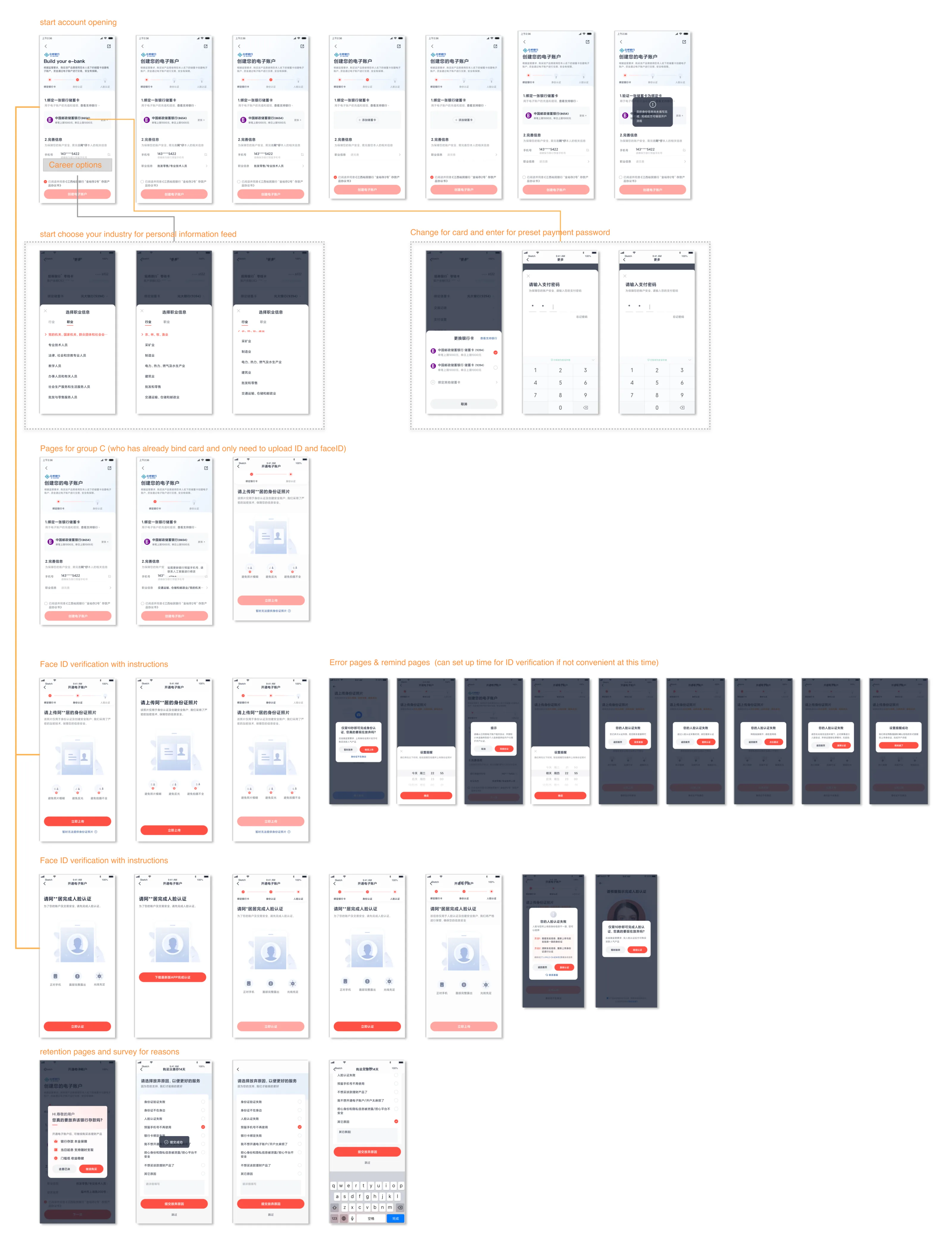
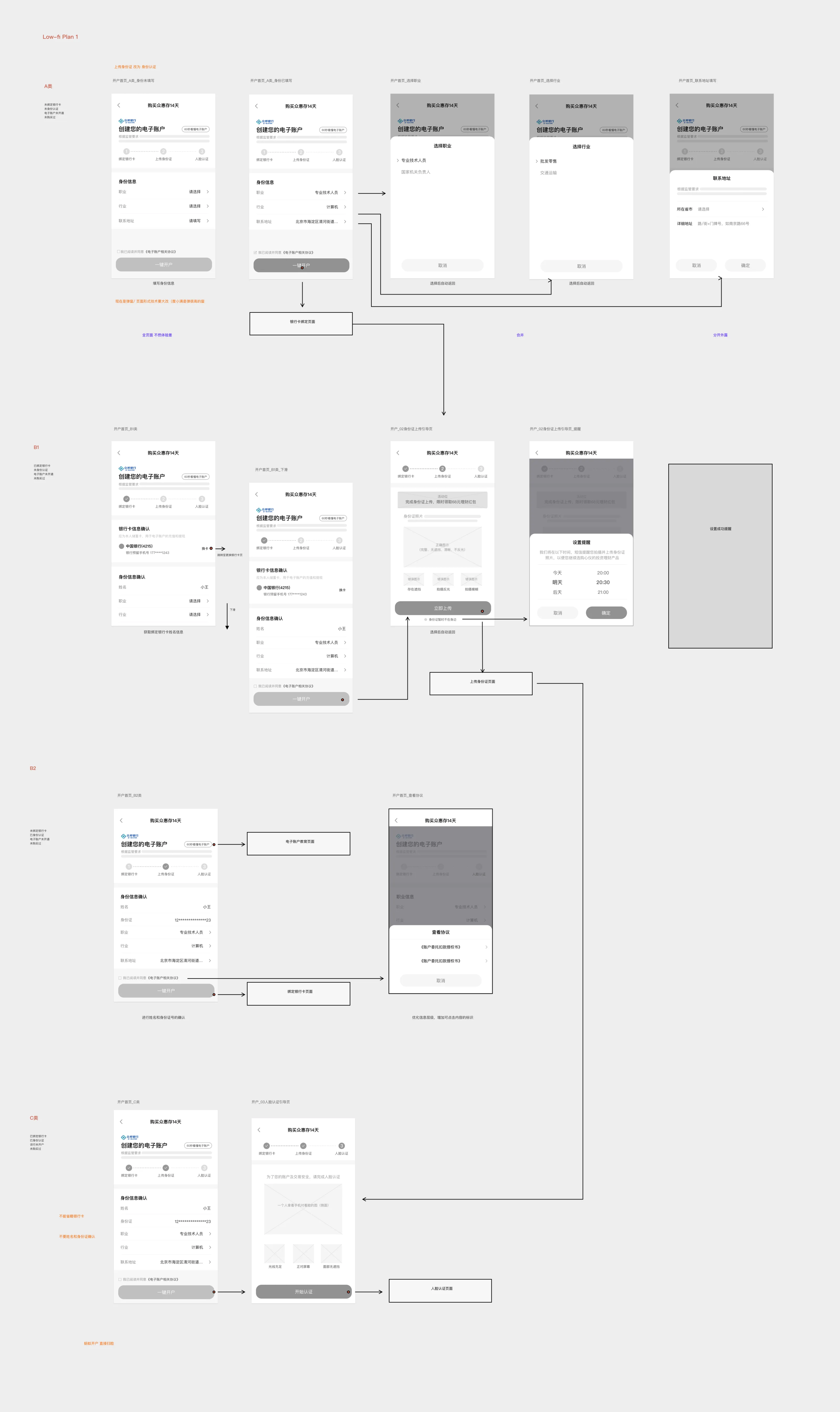
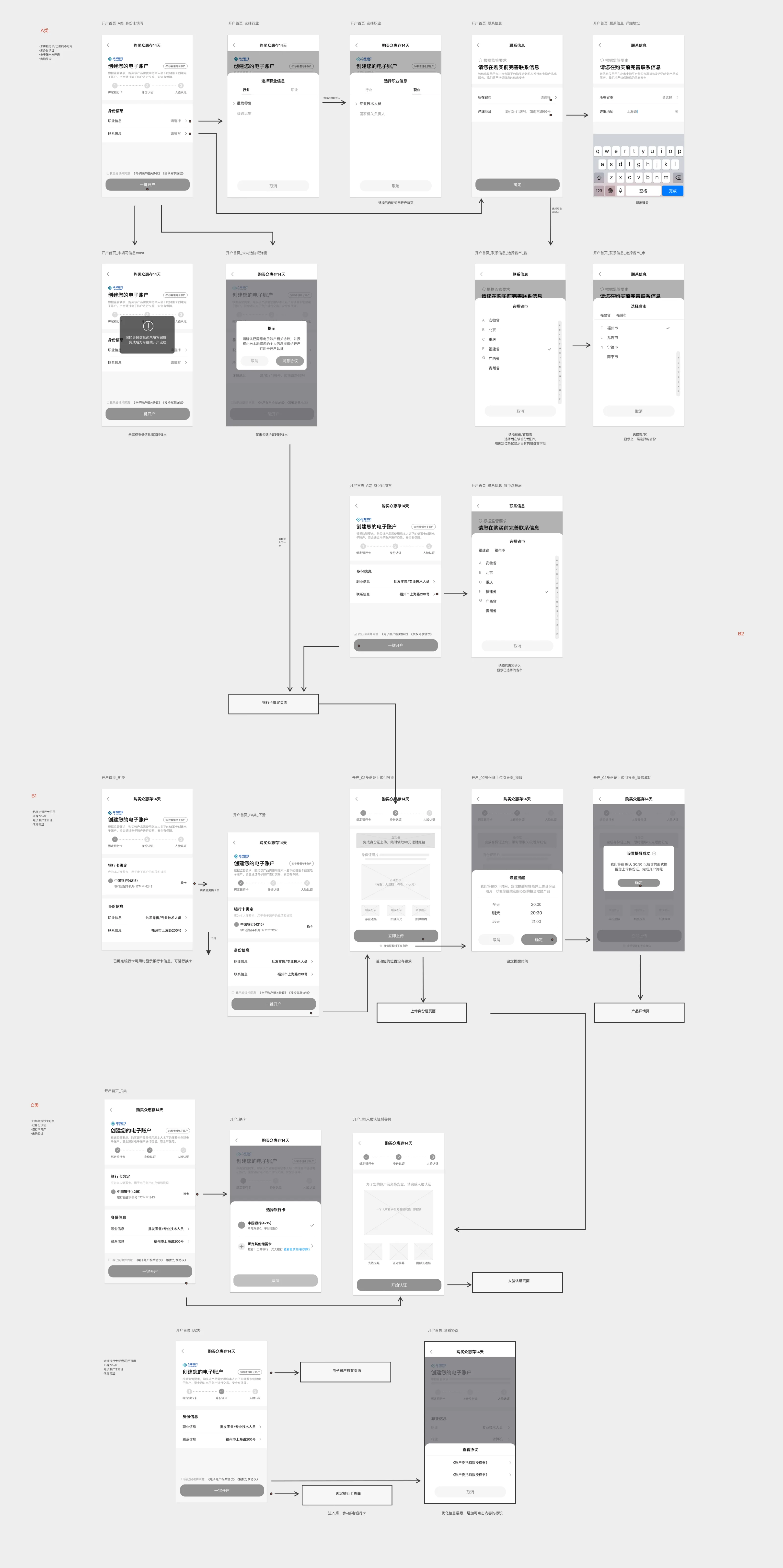
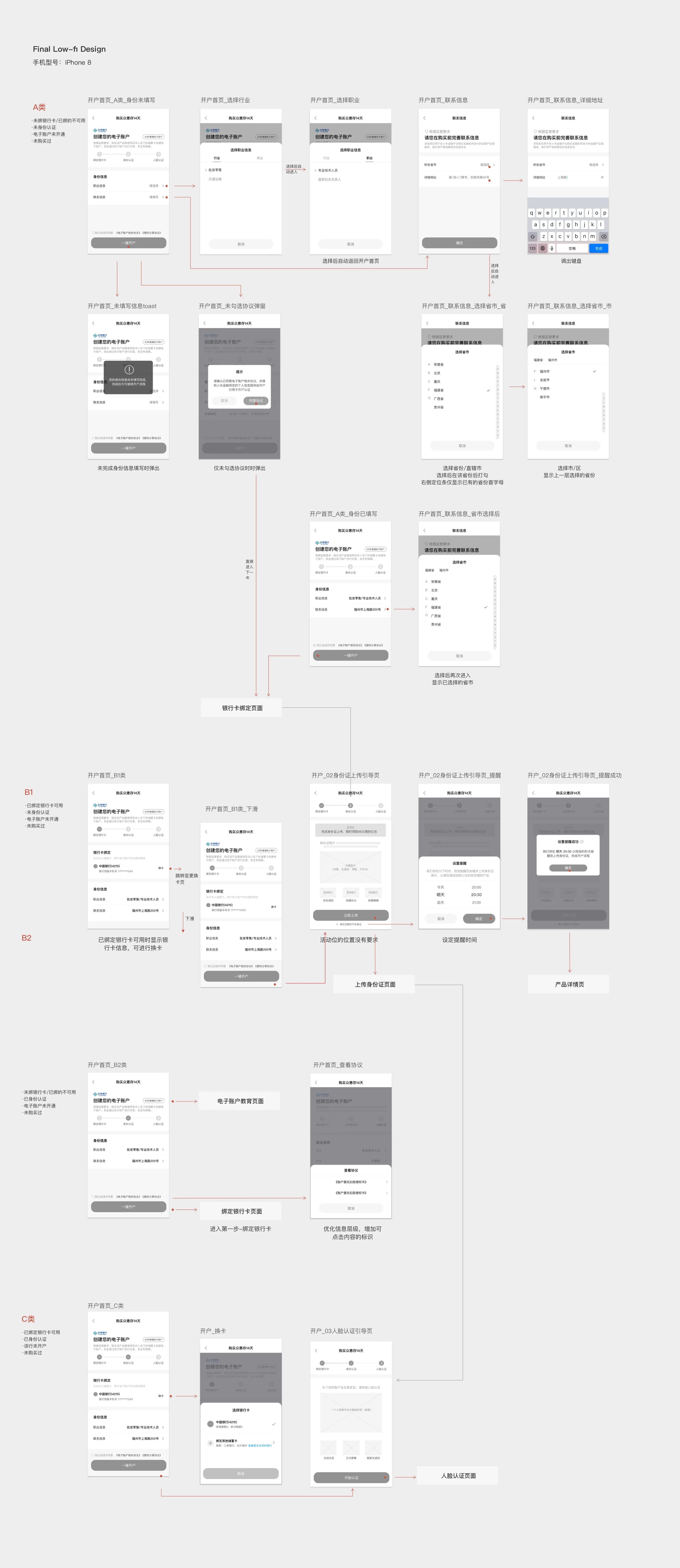
Our design target was to make users feel safe and valued when opening an e-account. Due to restrictions on financial products, we were not allowed to disrupt the workflow of this journey. So, instead, I brainstormed and came up with new features, redesigned the process guidance, unified the visual appearance, created a clear structure, and set timely reminders.
Highlights
Provide users with delightful and clear guidance
We began to explore different options to help users see what lay ahead. The instructions gave us a feasible solution for guiding users step by step and informing them about what had been done, what was happening, and what to do next.
Instructional widgets lead to success
Clear diagrams and understandable tips during the registration process result in lower error rates and shorter operation times.
Offer users clear instructions when failures occur
When an operation fails, we explain the reason to our users so they can fully understand the situation and have clear guidance on how to proceed. We also designed a "retaining page" to give users more space for consideration and increase the rate of successful applications.
Bring in a unified and promising brand image
Following our new design library, I updated the visual appearance and unified our component library to make the process consistent and coherent.
While determining how to make complex information more approachable, I explored a lightweight path to make the experience well-suited for beginner investors.
Final design
The end-to-end e-account journey, as it shipped