Overview
OpusClip launched a new function that enables users to create a video aligned with their needs using only a prompt. The AI identifies relevant content primarily from their video library, or online resources if needed, and generates a video. Users only need to make minor adjustments, reducing the work to just a few minutes.
My role
As the lead designer of this project, I fully participated in the project from 0 to 1, driving the end-to-end design by learning requirements from product managers, conducting user research and competitive analysis, and building wireframes and prototypes.
- Scope
- End-to-end product design
0 → 1 - Team
- Design Team
R&D Team
Machine Learning Team - Form
- Web-based AI video tool
- Timeline
- Dec 2024 – Mar 2025
Introduction
An AI platform with 6 million users, turning long videos into short, engaging clips
OpusClip is an AI-driven platform known for helping users transform long videos into short, engaging clips. Unlike traditional video editing tools, it offers a seamless, user-friendly experience. With AI, it drastically reduces editing costs and produces multiple short clips for users to select and refine.
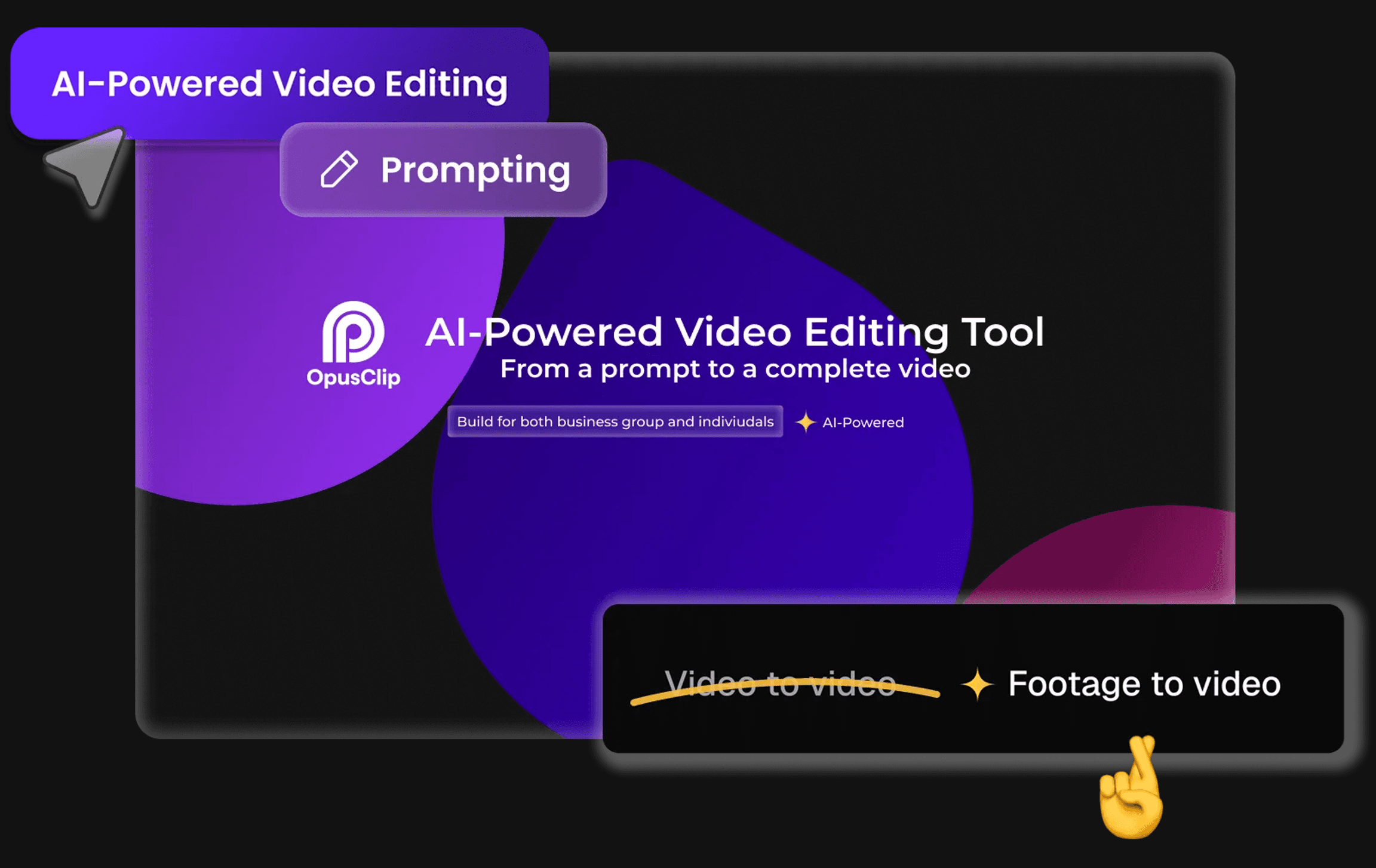
By aligning with business and engineering goals, the design team pivoted to real user needs through a two-month design process. Instead of generating entirely new videos, I designed a footage-to-video feature from 0 to 1, enabling users to transform their existing footage into compelling AI-driven voiceover videos.
The challenge
How might we streamline the workflow for users to generate a video with existing footage?
From the PRD and internal user portal, we learned that users were looking for a feature that would let them create videos simply by providing a prompt or script. AI would then assist by gathering relevant materials and producing a video.
Design
Generating resources with AI prompts
Building the storyboard and voiceover with AI
Enhancing the storyline with AI
Adding the final touches through manual control
Research 01
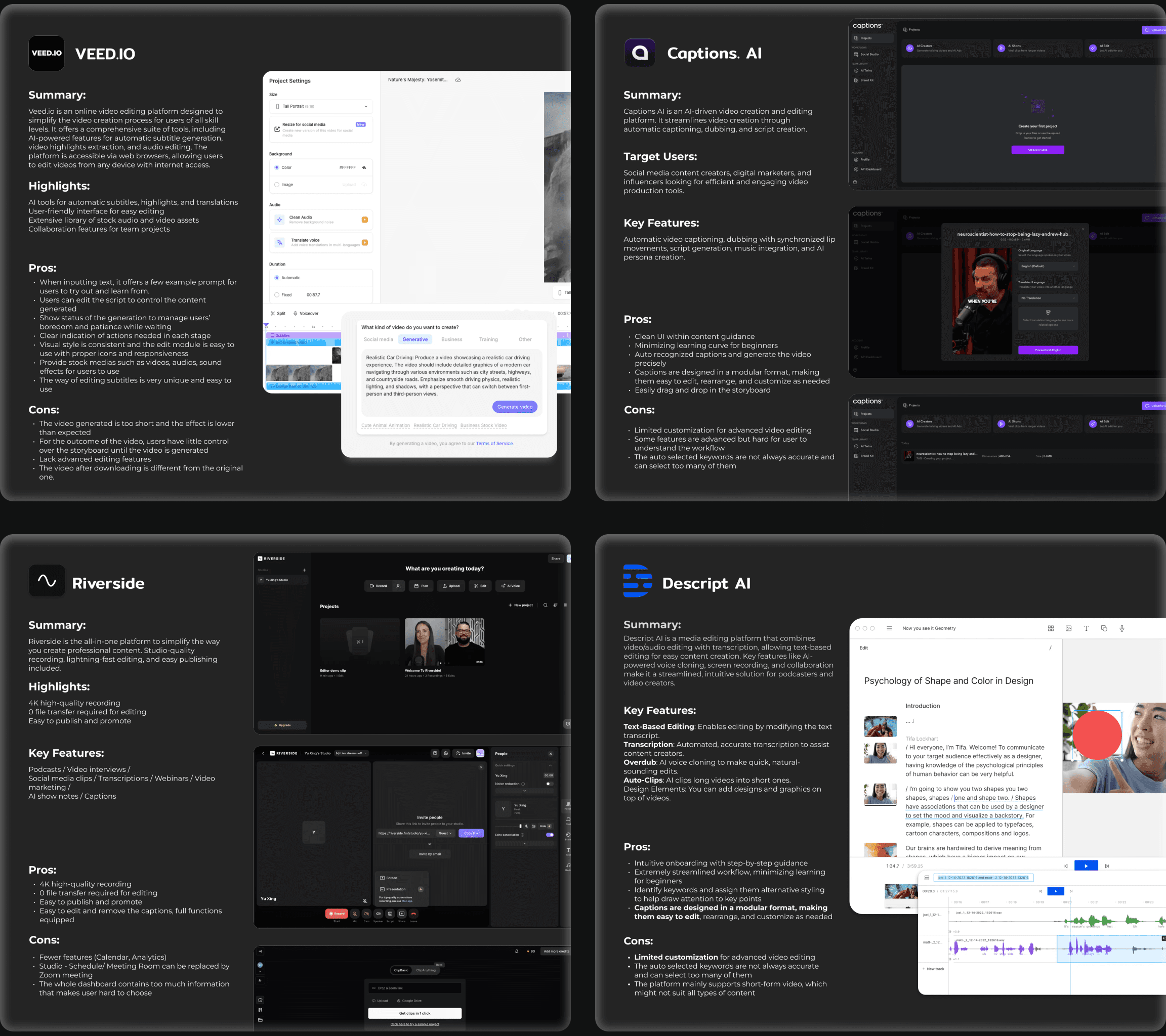
Competitors struggle with GenAI video quality when there is less user input
Competitive analysis showed that current competitors use different strategies to minimize the learning curve of AI-powered creation. At the same time, generated materials are not always satisfying. From a UX perspective, simplifying the user flow and dashboard UI is key to retaining users.
Research 02
Users are tired of regenerating videos when AI is not powerful enough
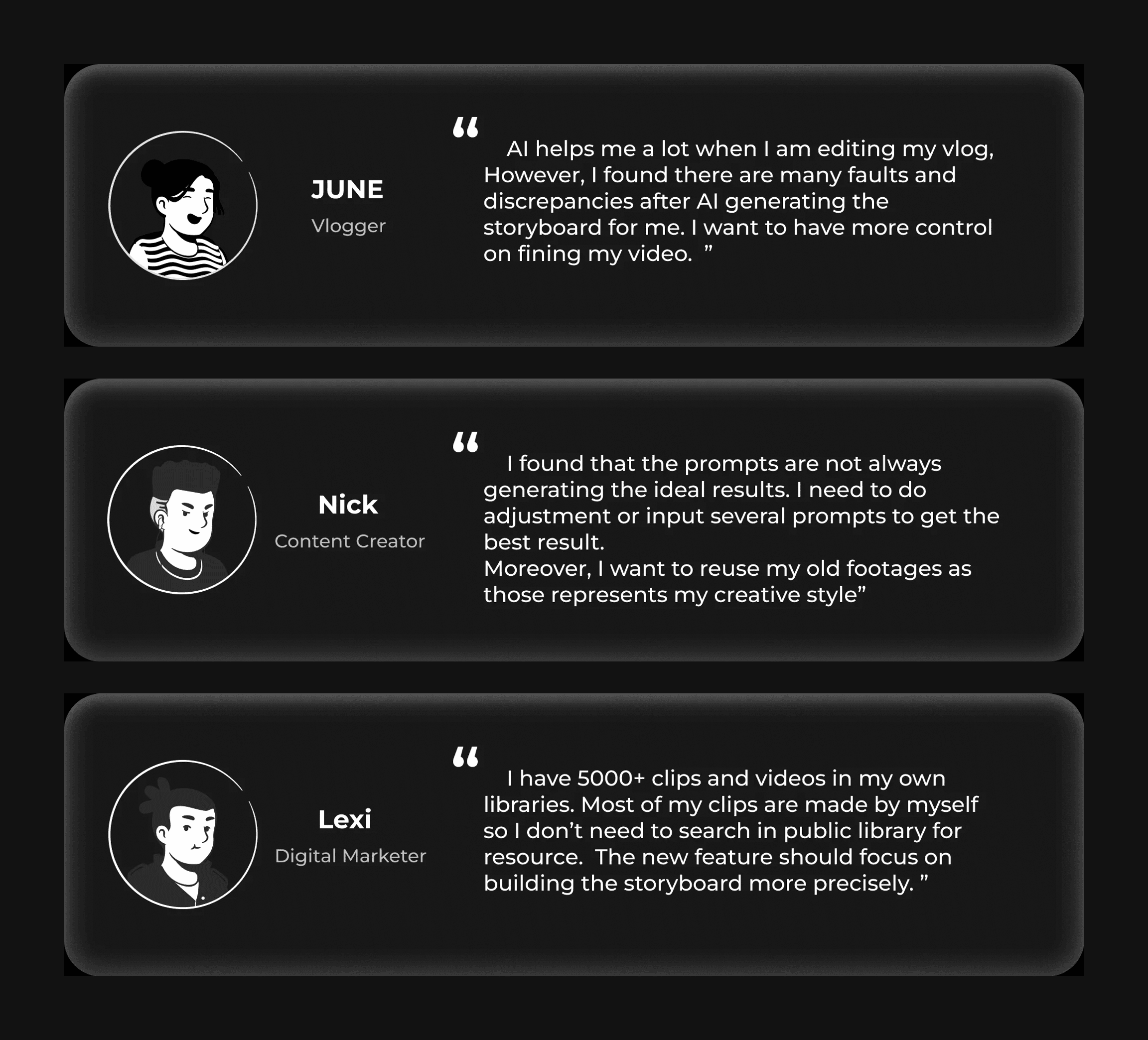
Across 10+ user reviews and 500+ surveys from active users, I found that users are willing to embrace AI in the video editing process, especially through prompts. However, the output is not always ideal, and users prefer AI to generate a draft rather than a fine-tuned video. I then initiated research with active users to test the concept and learn their habits and pain points.
Insights & ideation
Users trust AI to draft the storyline — manual control is what makes them feel safe
After synthesizing the research, I broke the problem into two phases of the user journey and identified opportunities for the current product: keyword-based search could accelerate footage collection, AI could compile clips into a new story, and manual control could protect user confidence when the model was uncertain.
Fast keyword-based search speeds up footage collection for creators
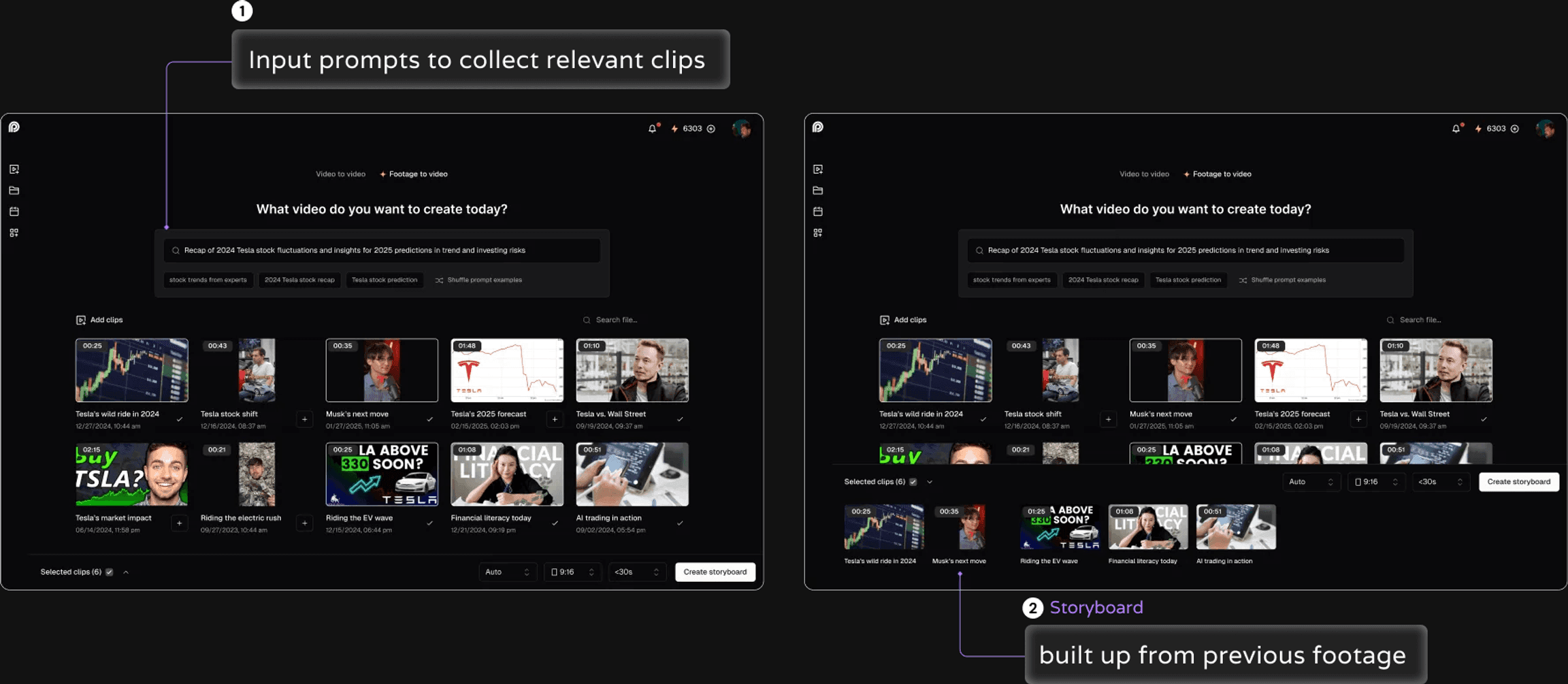
AI compiles selected clips into a new story
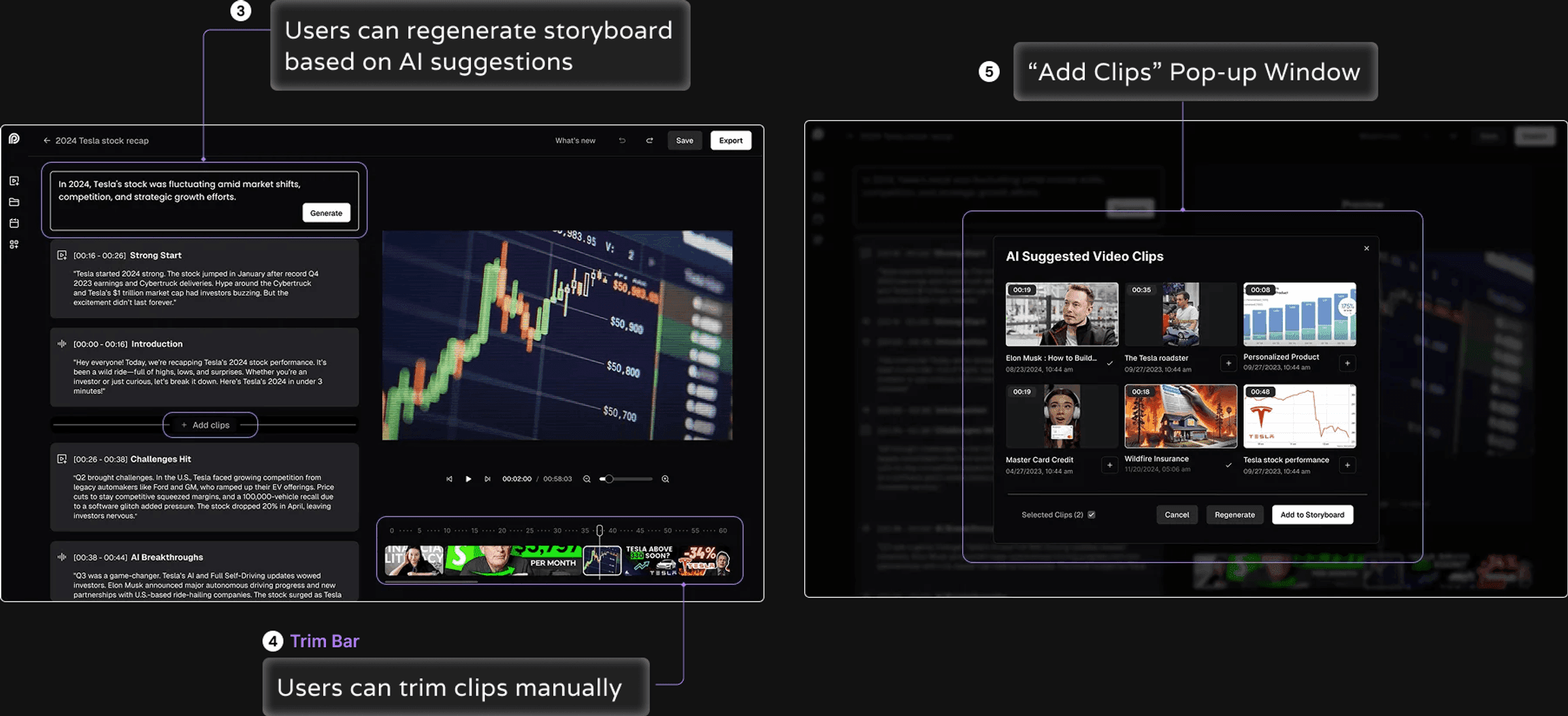
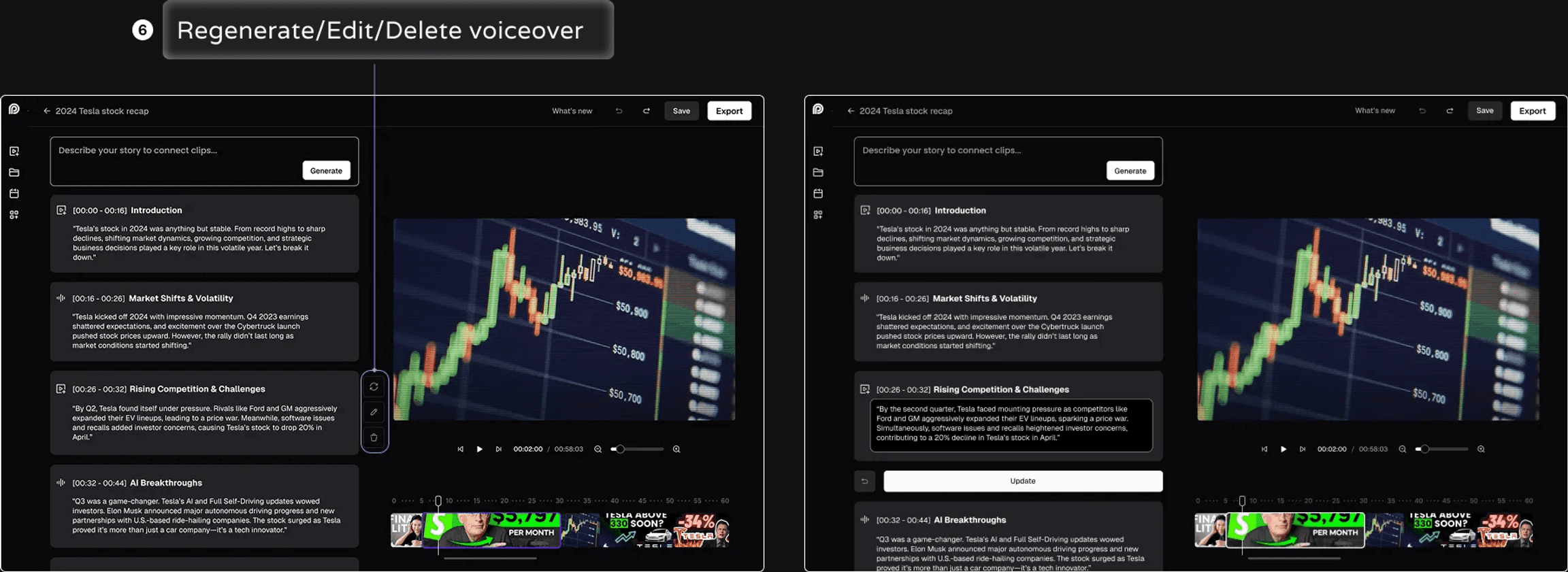
Manual control makes storyline generation feel safe
Validation
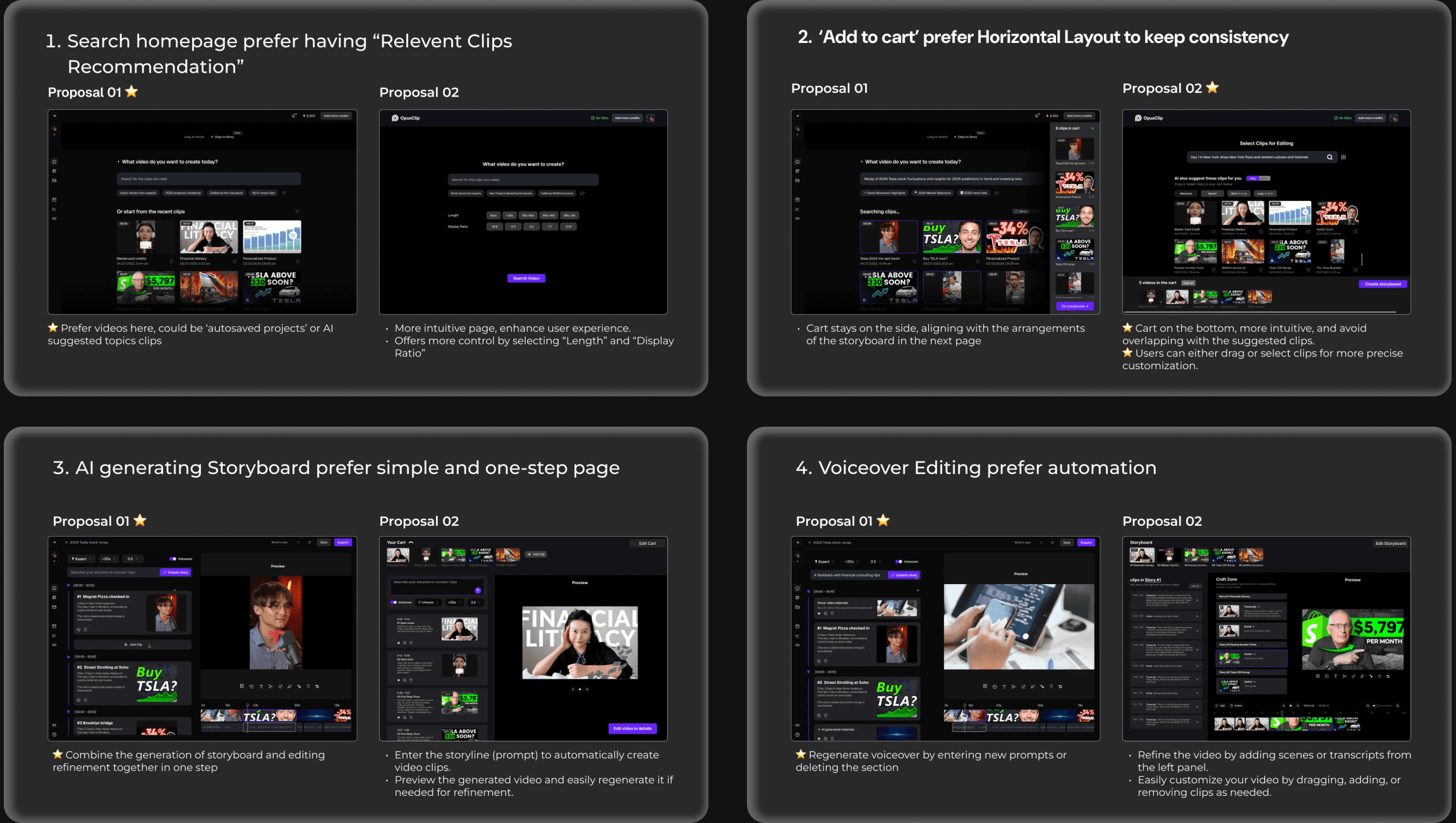
A/B testing showed where AI should step in — and where uncertainty should leave control with the user
To ensure the final product met user expectations, I brought design options from the concepts into A/B testing with 10+ users. The results clarified four decision points: the search-homepage entry, clip-selection layout, one-step storyboard generation, and automated voiceover editing.
Highlights
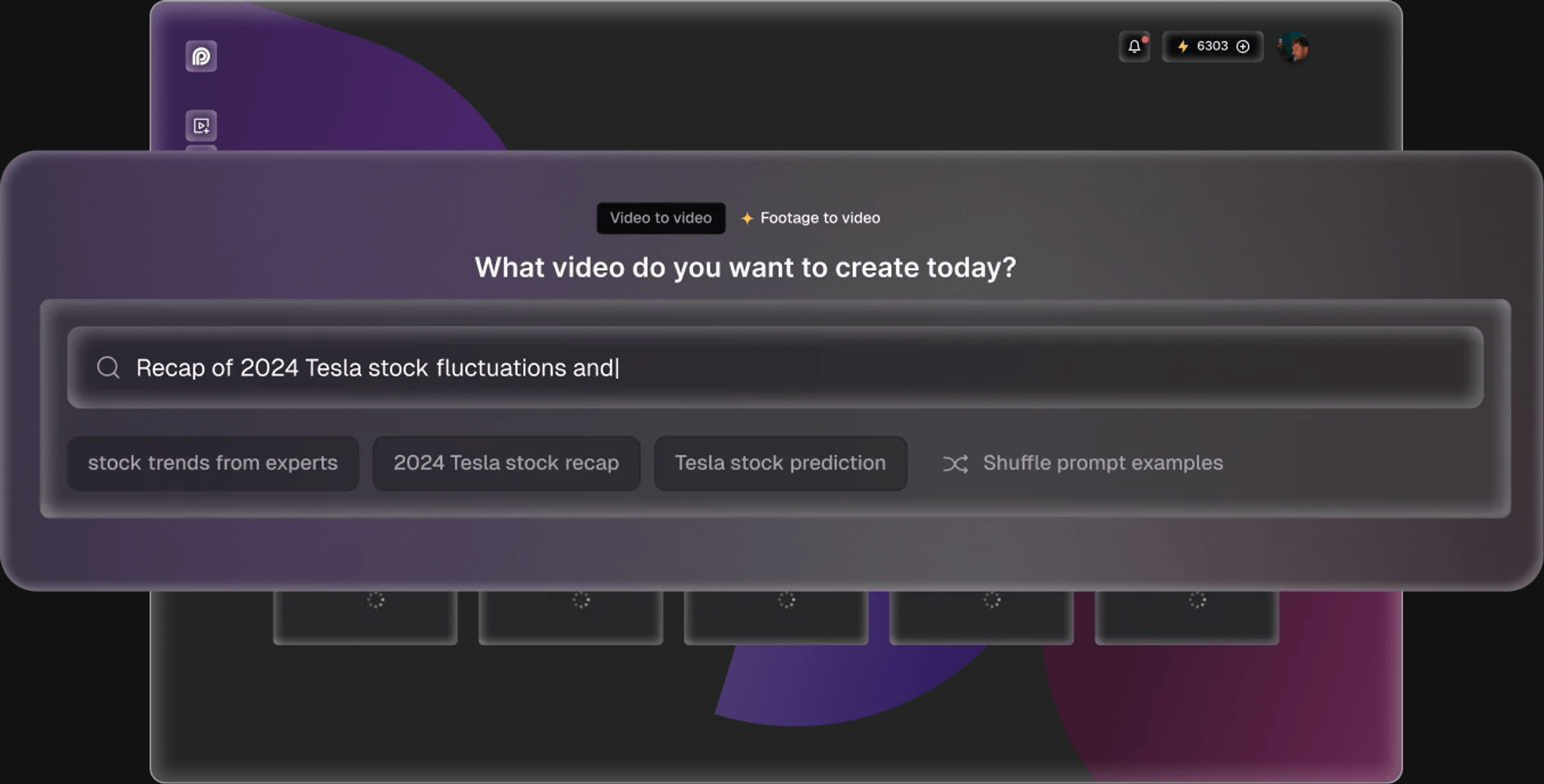
AI-powered search by prompting
When users need to search for specific topics, they can enter prompts in the search section and review the relevant clips before selecting them.
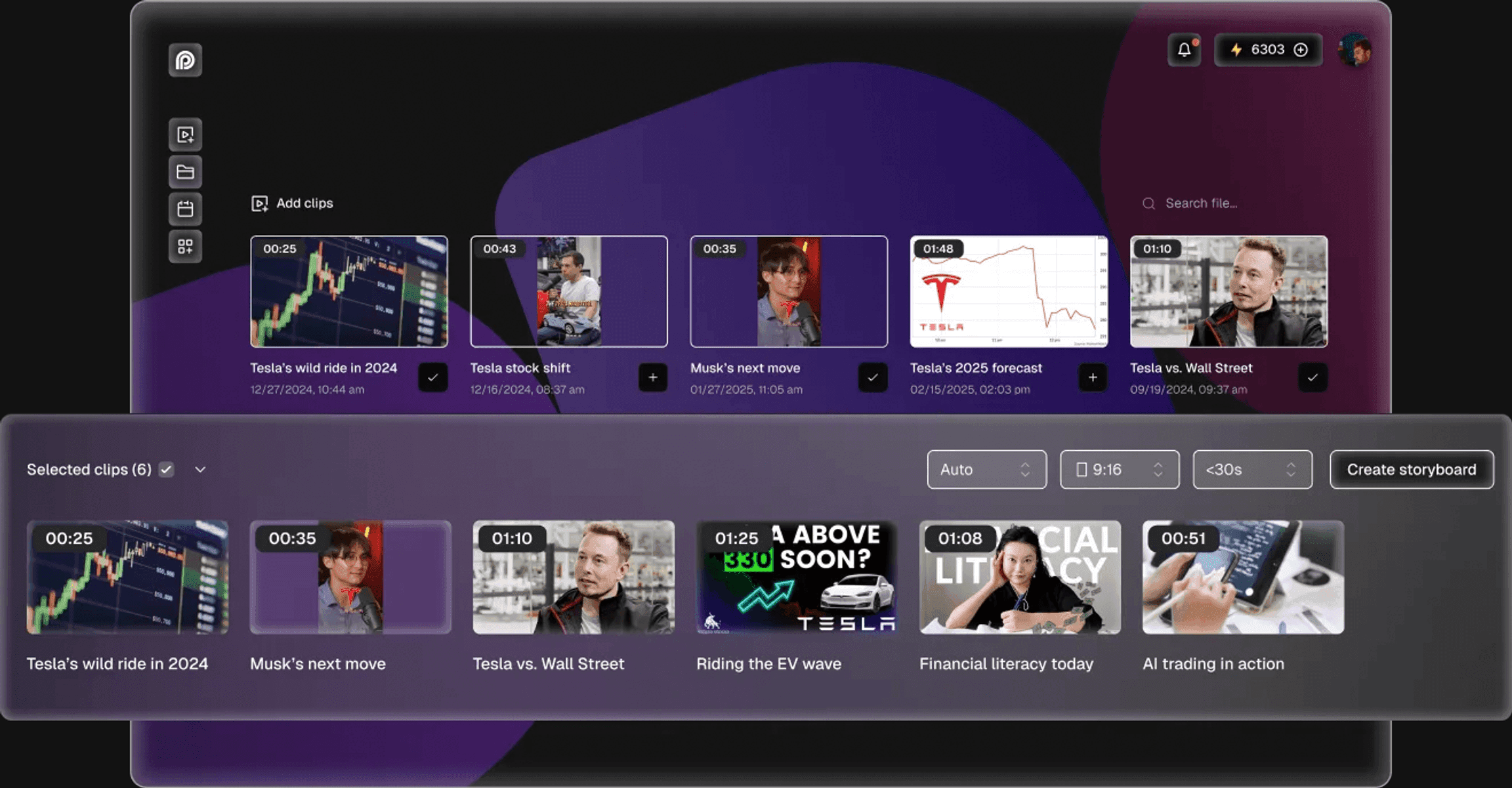
Control over AI outputs
When AI selects content, users can still filter the results and create a storyboard based on their own preferences.
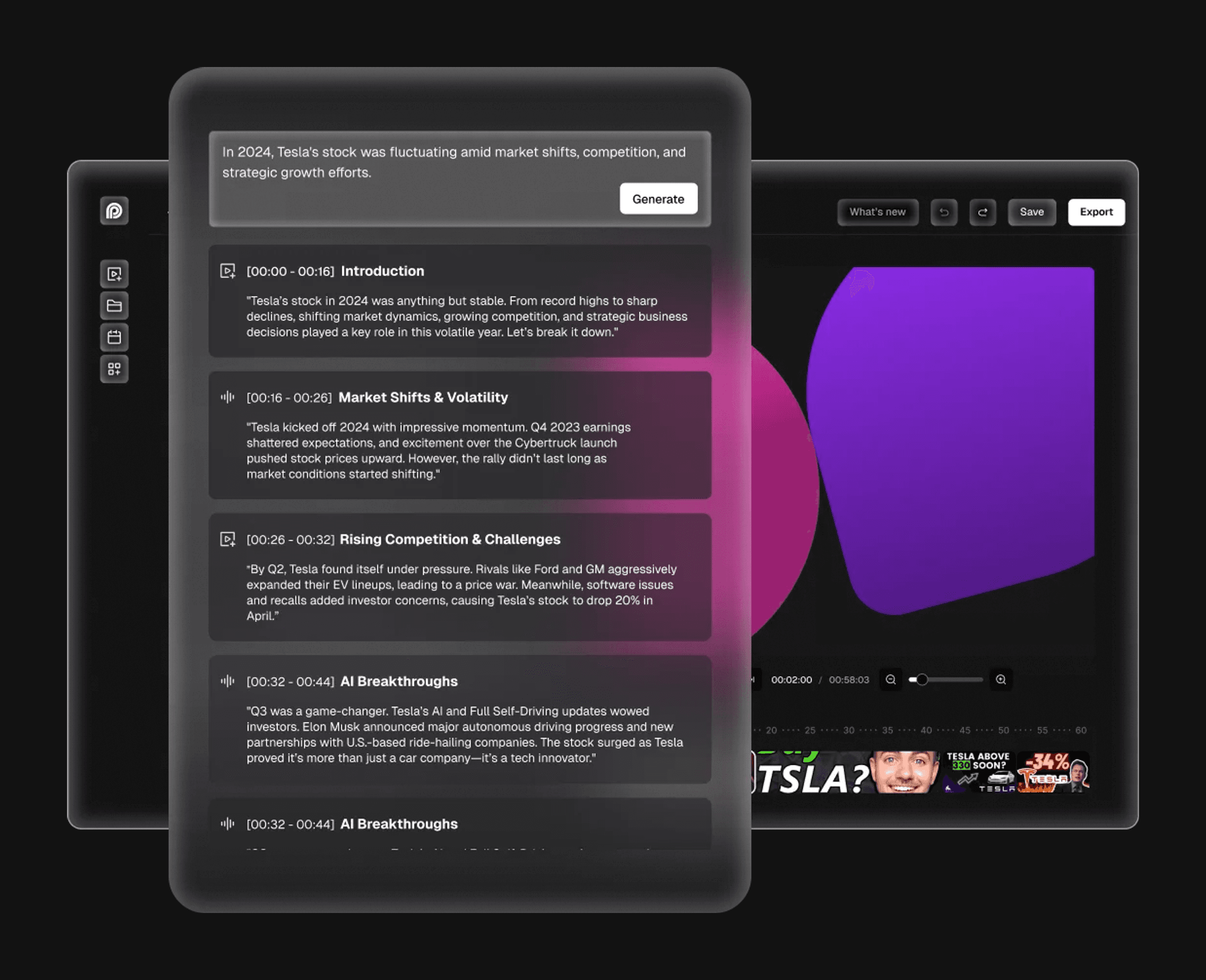
Storyboard generation from AI prompts
After compiling clips, users can input prompts to generate a structured first draft with AI.
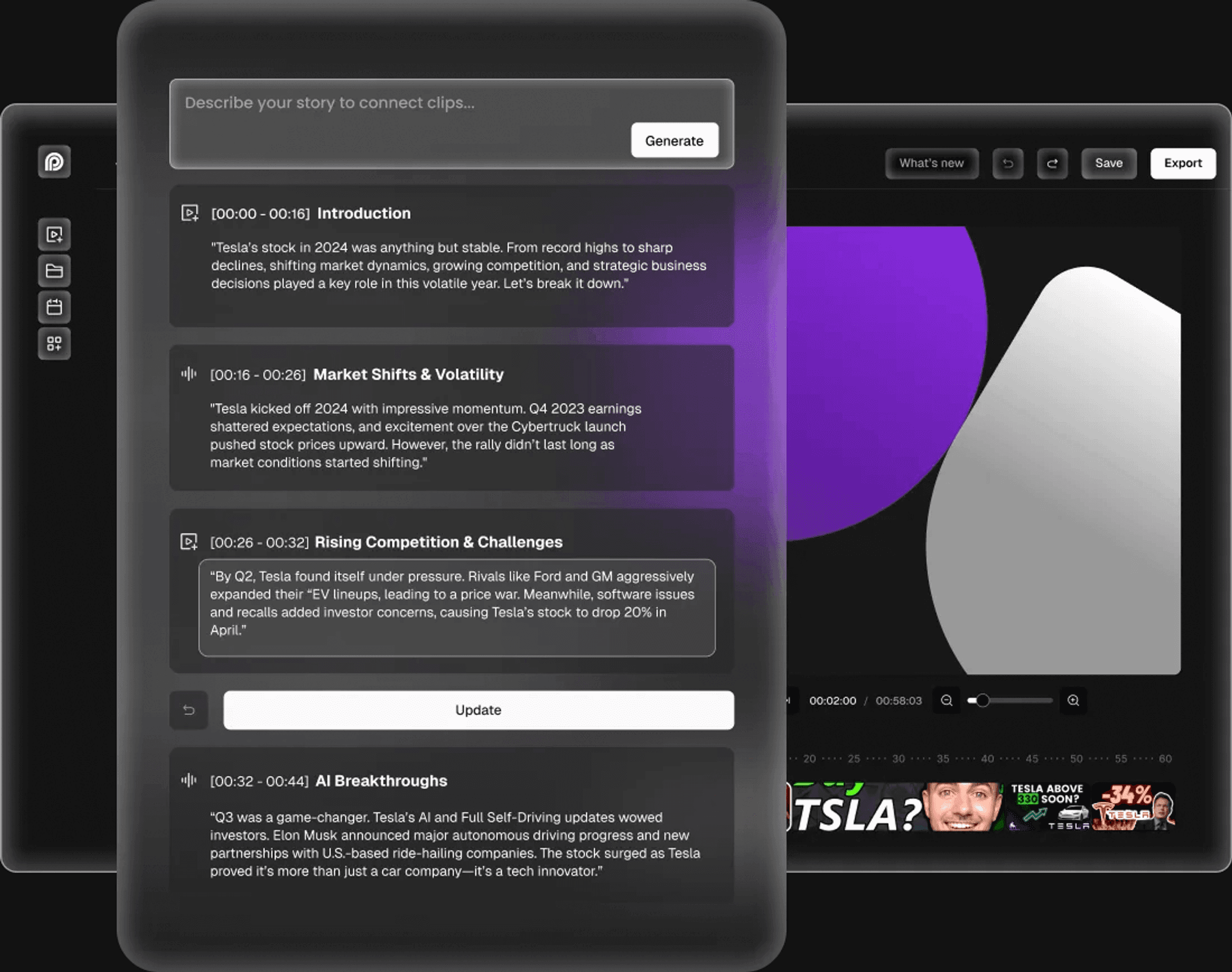
Voiceover customization to suit user preferences
Giving users control throughout the AI process is crucial for retention and satisfaction.
Final design
From a prompt and existing footage to a controllable first cut
Impact
Product-market fit validated in beta: 97% positive feedback, 62% flow adoption
This design was tested with 200 internal beta users. Based on qualitative and quantitative research, the product team validated its product-market fit.
It was implemented and launched in Q4 2025.
- 97%
- positive feedback across 10 rounds of user surveys
- 62%
- of users adopted the new flows within 30 days
- 49%
- of users showed willingness to pay
- 42%
- of users actively used the product within 7 days